Shopify guide · 6 min read
How to sell wall art on Shopify with print on demand
Short answer: Install a print-on-demand app such as Printify, Printful or Gelato from the Shopify App Store, create each artwork as a product in the provider's app, and publish it to your store. Shopify allows up to three options and 2,048 variants per product, but your theme, provider app or sales channel may support fewer. Check the size × frame combinations you intend to sell. Then replace generic provider images with room photos that match each frame and size, around 2048 × 2048 px.
Shopify gives you your own store; a print provider makes and ships each order. Photos need to explain the product and its options, so plan them alongside the product, with a bulk mockup generator for whole collections.

How the pieces fit together
A print-on-demand wall art store on Shopify has three parts:
- Your Shopify store: the theme, product pages, collections and checkout.
- A print-on-demand app: its catalogue of canvases, frames and posters, its prices, and fulfilment. When an order comes in, the app passes it to the provider, which prints and ships it.
- Your photos: room mockups, a close-up of the product and, ideally, a photo of a sample.
Printify, Printful and Gelato all have apps in the Shopify App Store (Printify, Printful, Gelato, checked 2026-10-29). Each listing names wall art among its products and a mockup generator among its features. Our guide to choosing a print-on-demand provider for wall art compares what each one makes and where it prints.
Choose the products: framed canvas, framed prints, posters
Decide which products you'll offer before you build a single page, because each needs different photos.
| Product | What the buyer gets | What the photo must show |
|---|---|---|
| Framed canvas (floating frame) | A stretched canvas set in a frame with a small gap all round | The gap, the frame colour, the depth |
| Stretched canvas | Canvas wrapped round a wooden stretcher, no frame | The wrapped edge and its depth |
| Framed print | Paper print in a frame, with or without a mat | Frame colour, mat or no mat |
| Poster | Unframed paper print | The print alone, or framed only if you say the frame isn't included |
Providers make these differently, so read the product page. Prodigi lists its framed canvas as a floater frame with a 5 mm gap, a 12 mm frame face and 53 mm depth from the wall, in black, white, antique gold, antique silver, natural and brown (Prodigi, checked 2026-10-29). Gelato gives its framed canvas a thickness of 42 mm in North America and 32 mm in Europe, with natural wood, dark brown and black frames (Gelato, checked 2026-10-29). Your mockups should show the same finish and proportions. Our guide to canvas vs framed print mockups helps match product to artwork.
Set up products and variants
Shopify's help centre says a product can have up to three options and up to 2,048 variants (Shopify, checked 2026-10-29). Your theme, provider app or sales channel may support fewer variants. For wall art, size and frame colour are common options.
A worked example: one artwork offered in 5 sizes and 4 frame colours is 5 × 4 = 20 variants, well inside the limit. Add a third option, such as "with mat" or "without mat", and it becomes 40.
Two ways to organise a catalogue:
- One product per artwork and product type, such as "Misty Mountains, framed canvas". Clear pages and photos that match exactly. Best when canvas and prints sell at very different prices.
- One product per artwork, with product type as an option. Fewer pages, but every photo must make clear which version it shows.
Shopify lets you add a different image to each variant (Shopify). Use it: when a buyer picks the walnut frame, the main photo should change to a walnut-frame mockup. If your provider's app creates the variants for you, check their names and images after publishing.
Image sizes for Shopify product photos
From Shopify's help centre (product media types, checked 2026-10-29):
- Product images must be smaller than 20 MB.
- They can be up to 5000 × 5000 px, or 25 megapixels.
- For square product images, 2048 × 2048 px usually displays best.
- PNG is the best file type for most product images, followed by JPEG.
Keep every main image in a collection the same shape, usually square, so collection grids line up. A square mockup at 2048 px or more gives buyers room to zoom. If you also sell on Etsy, the same square file works there; check it with the Etsy listing photo checker.
Plan the photos for each product page
Plan the photos by the questions a buyer has, in the order they ask them. A strong order for wall art:
- Hero room: the art large and clear in a calm, neutral room.
- Scale: the art above a sofa, bed or sideboard.
- Product detail: a close view of the frame corner, mat or canvas edge.
- The artwork flat: so buyers see every detail.
- Two to four other rooms: different styles and wall colours.
- Sizes: an image listing every size and frame.
- A sample photo: your actual product, unedited.
Our Etsy listing photo plan explains each slot; the same logic works on Shopify. Before you make any images, check the file's ratio with the print ratio guide so the art is never cropped to fit a provider size.
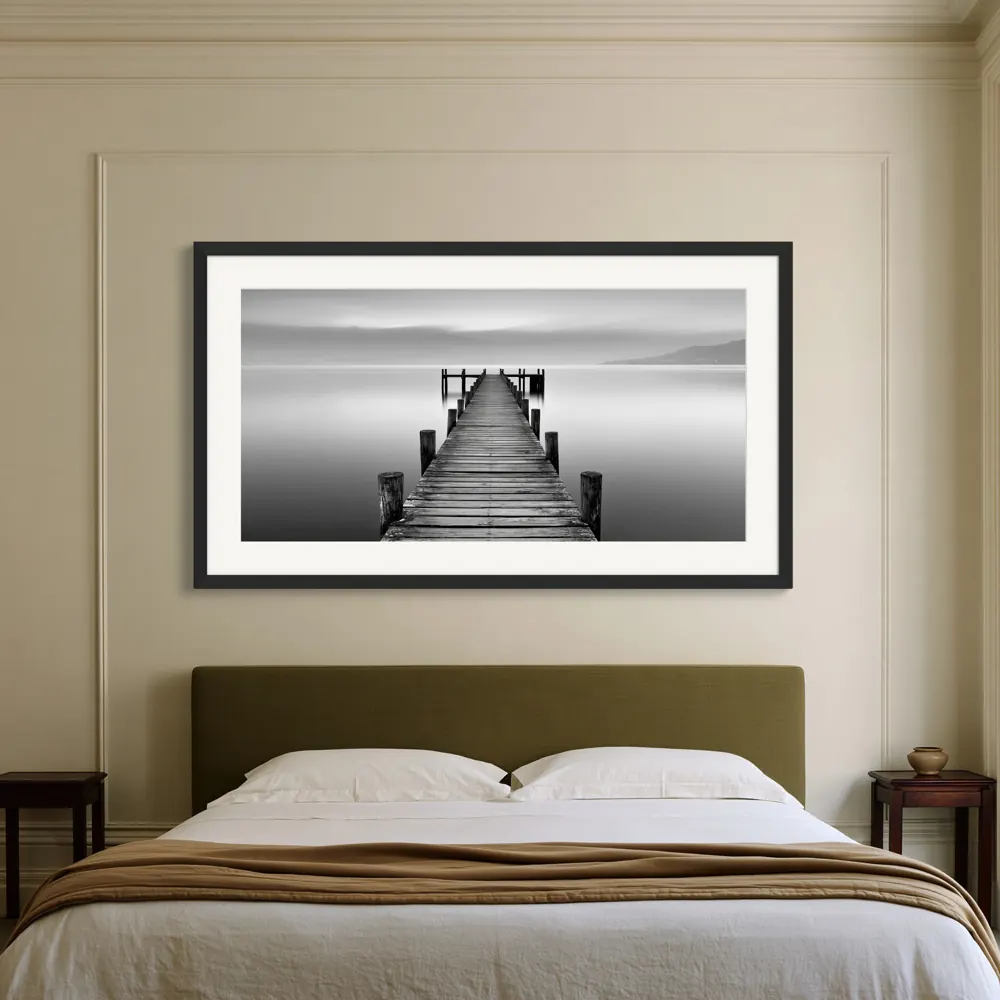
Make collections look like one brand
Shopify collection pages show the first image of each product in a grid. If every product's first image comes from a different template, the page looks like a marketplace. If they share two or three rooms and one frame look, it looks like a gallery. Pick a small set of hero rooms that suit the collection, and use them for every artwork in it. When you add a new piece later, it matches without extra thought.
Where WallMock fits
WallMock makes the photos; your provider makes the product. There is no direct Shopify integration: you download the images and upload them to each product or variant in Shopify.
- Choose the product that matches your provider: framed canvas (floating frame); stretched canvas; framed print, with or without a mat; metal print (art on a frameless aluminium panel); aluminum framed print (black, gold or silver), with or without a mat. Frame finishes: black, white, natural oak, walnut, espresso, gold and silver, plus natural wood for floating-frame canvas.
- Heart your favourite rooms once, add a whole collection, and every artwork comes out in every chosen room. Paid plans support sets of 2, 3 or 4 for eligible products; metal prints are single-artwork images.
- Free accounts include 10 watermark-free 4K (4096 px) single-artwork downloads every 30 days. Paid plans add more images (Lite 200 a month, Pro unlimited), sets and listing kits; Pro adds listing videos. Send to Shopify is in limited beta on Pro and the WallMock Studio plan, and will be on every plan when it opens. This long-edge size is inside Shopify’s stated limit.
A free account includes 10 clean 4K downloads every 30 days; the pricing page lists what each plan adds.
Read next: choosing a print-on-demand provider, canvas vs framed print and Printful mockups.
Sources
- Shopify Help: Product media types, checked 2026-10-29
- Shopify Help: Adding variants, checked 2026-10-29
- Shopify App Store: Printify, checked 2026-10-29
- Shopify App Store: Printful, checked 2026-10-29
- Shopify App Store: Gelato, checked 2026-10-29
- Prodigi: Framed canvas, checked 2026-10-29
- Gelato Support: Start selling canvas and framed canvas, checked 2026-10-29