WallMock on iPhone and Android
Make a wall art mockup on your phone
Open WallMock on your phone, add one artwork and choose a room and frame. Share the finished photo straight to a post or download it for a listing. Use the desktop Studio to make photos for a whole collection.
A free account (Google or an email code) gives you 50 previews and 10 4K (4096 px) downloads every 30 days, all with no watermark.
Key facts
- Where it runsYour phone's browser: Safari or Chrome on iPhone, Chrome on Android. No app store.
- What it makesOne artwork in one room per image, 4,096 px on the long edge.
- Your artPlaced as it is: never redrawn, repainted or upscaled by AI.
- PriceNo separate app price. Included in every plan, including Free.
How it works on a phone
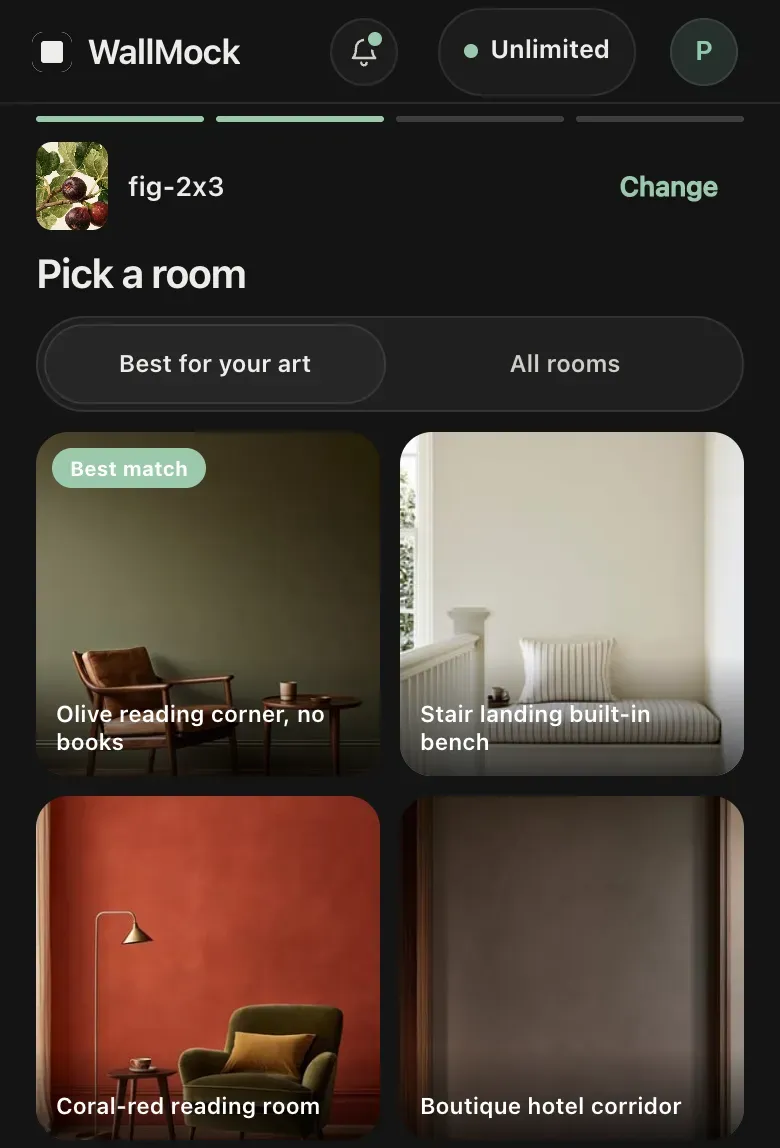
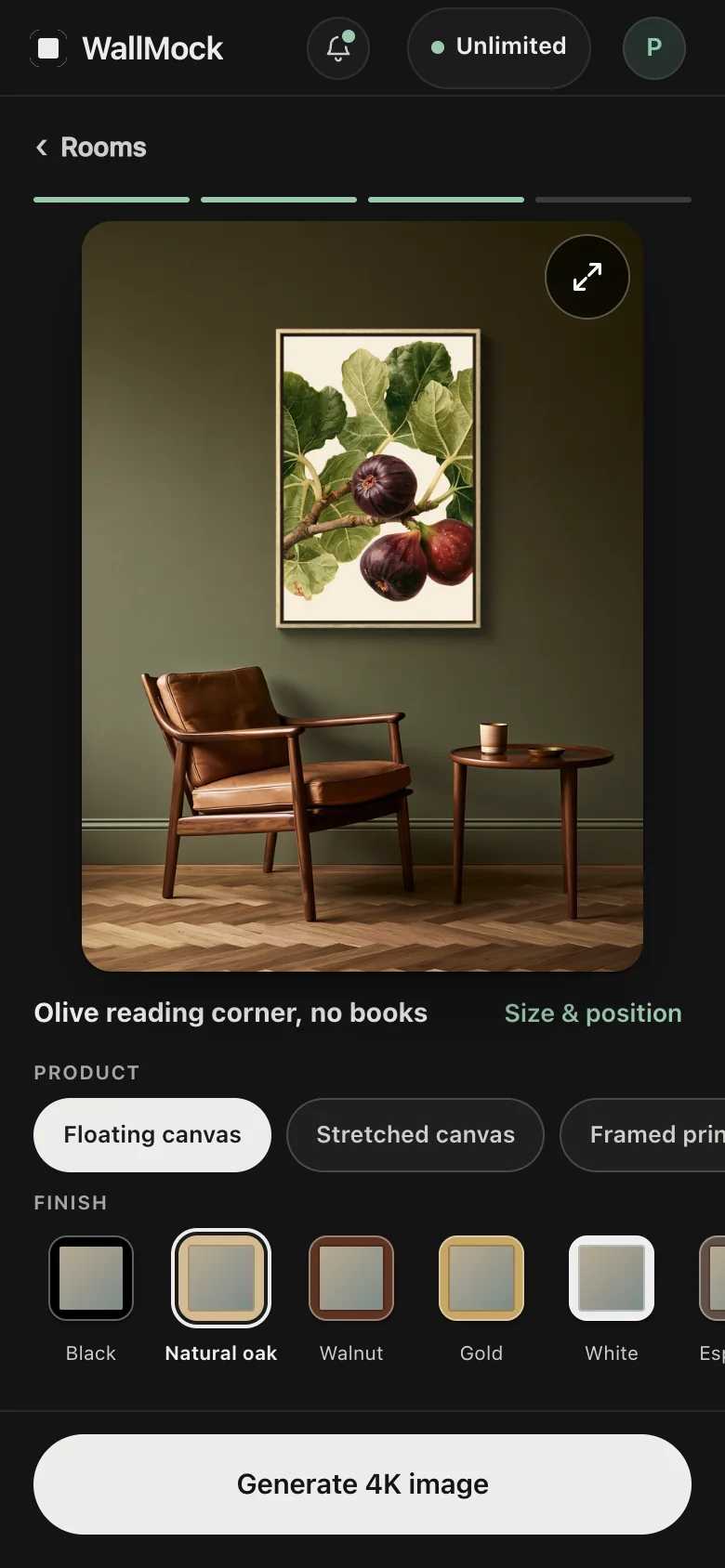
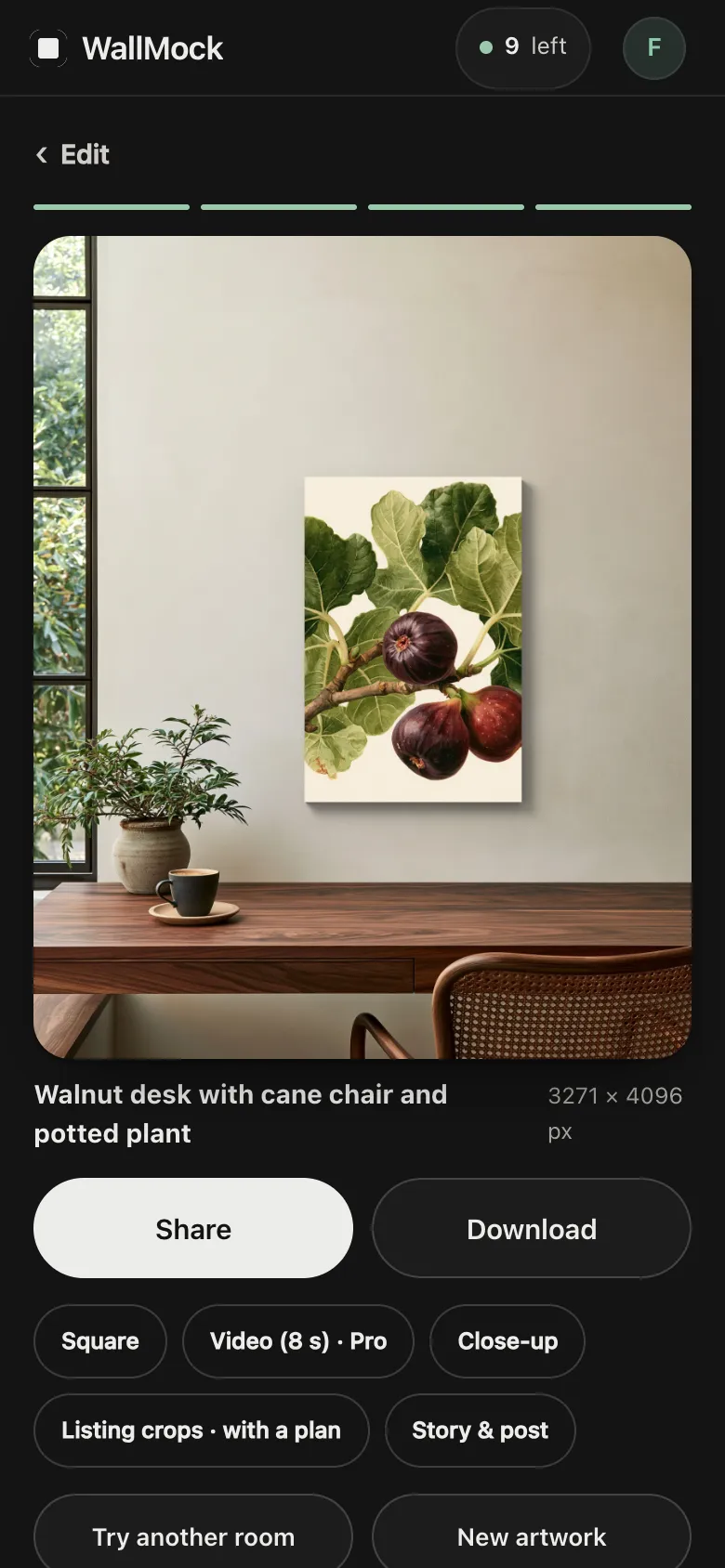
Screenshots of WallMock on a phone on a paid plan, November 2026, with an example botanical artwork. On the Free plan, previews have no watermark; Try Free previews (no sign-up) do.
- Add your artwork. A JPEG, PNG or WebP from your photos or files. No file to hand? Tap Try a sample.
- Pick a room. Best for your art shows the rooms WallMock picked for this artwork, the closest marked Best match. All rooms lets you browse by room type.
- Pick the product and frame. Floating canvas, stretched canvas, framed print, metal print or aluminium frame, then a finish such as black, natural oak, walnut, gold or white. WallMock sets the size and position for the room; Size & position has three sliders if you want it different.
- Generate, then share or download. Share opens your phone's share sheet (Instagram, Messages, Photos); if your browser can't share files, the image downloads instead. Tap the picture to see it full screen.
Why sellers use it for social posts
- Your exact artwork. Lettering, signatures and brushwork stay as you made them. See how we keep your art exact.
- Cut for the platform. Story & post crops around the artwork for a Story (1080 × 1920), a portrait post (1080 × 1350) or a square, or puts the whole image on a plain Story card. Square trims the sides only, so the art keeps its size.
- 4K. The same file works for a post, a listing or a printed flyer.
- Curated rooms, placed for you. 500+ digitally staged rooms, each with a reviewed spot for art based on the wall and the furniture. Nothing to drag into place.
- The product you sell. Canvas, framed print, metal print or aluminium frame, in the finish you ship, plus a Close-up of the frame. Listing videos come with Pro.
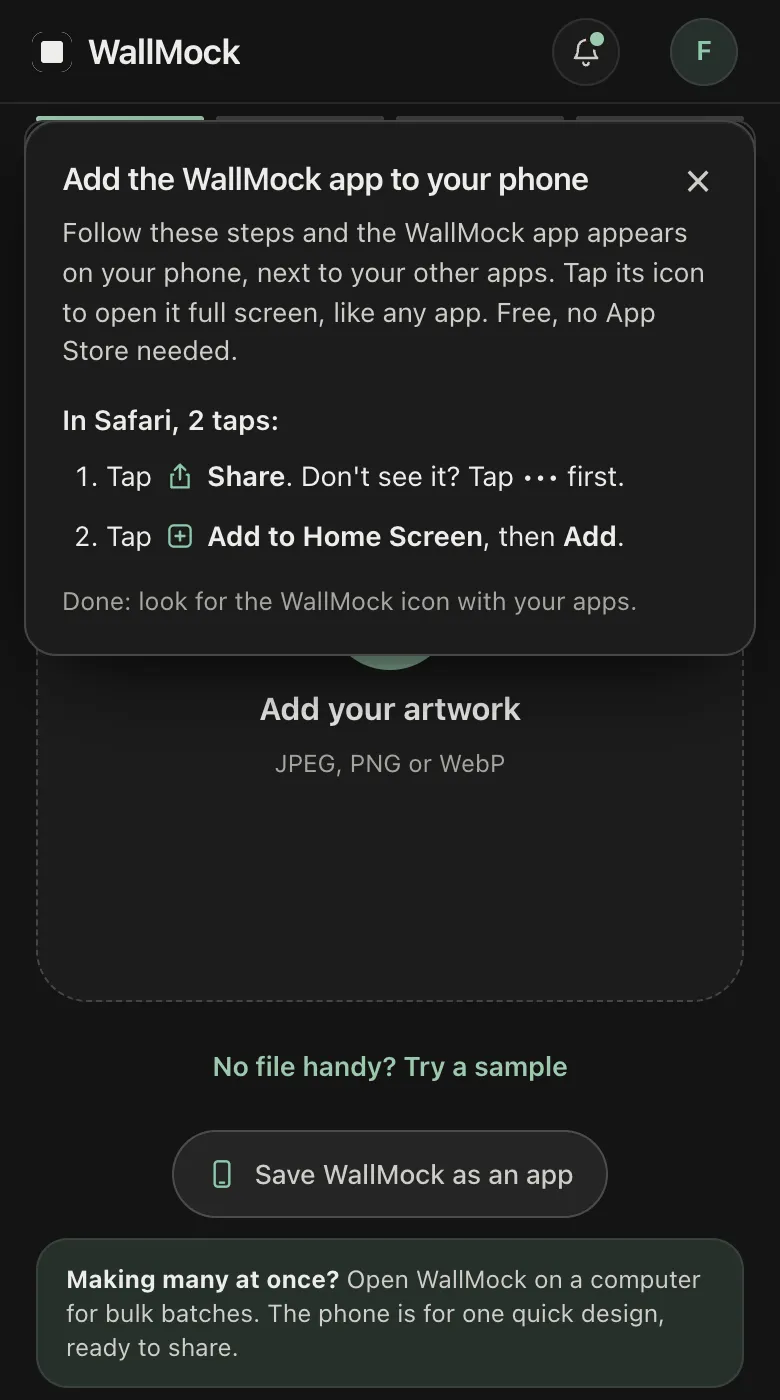
How to save WallMock as an app
Open app.wallmock.com and tap Save WallMock as an app on the first screen, or Save as app in your account menu. It shows the steps for your browser:
iPhone, in Safari
- Tap Share. Don't see it? Tap ••• first.
- Tap Add to Home Screen, then Add.
iPhone, in Chrome
- Tap Share in the address bar.
- Tap Add to Home Screen (scroll down if you don't see it), then Add.
Android, in Chrome
- Tap ⋮ at the top right.
- Tap Add to home screen, then Install.
Opened the link inside Instagram, TikTok or Facebook? Their built-in browser can't save apps: open the page in Safari or Chrome first.
What the phone version does not do
It makes one artwork in one room at a time, on purpose: it is the quick way to one good image. For the rest, use a computer with the same account:
- Bulk batches: every artwork in up to 20 saved rooms in one run. See the bulk mockup generator.
- Sets: pairs, trios and sets of four on one wall. See sets and gallery walls.
- The listing kit ZIP: marketplace crops, alt text and a listing checklist (paid plans).
Which plan do you need?
Any plan. Free gives you 50 previews and 10 4K downloads every 30 days, all with no watermark. Lite is $5 a month at its launch price for 200 clean 4K images, and Pro is $15 a month at its launch price for unlimited images (fair use) and listing videos. From 1 January 2027 new subscribers pay Lite $9 a month or $79 a year, Pro $19 a month or $179 a year, and Studio $29 a month or $279 a year; subscribe before then and keep your price for as long as you stay subscribed. There is no separate app price. See pricing.
How it differs from phone mockup apps
Most phone mockup apps come from an app store. Smartist runs on iPhone, iPad and Mac, and its help centre said there was no Android version yet; ArtPlacer has an AR app on the App Store and Google Play (both checked 2026-10-29). If you want to stage art in a photo of your own room, an installed app like that is the better fit. WallMock is built for sellers: any phone browser, Android included, curated rooms with the art already placed, and your file kept exactly as it is. More in the comparison of mockup tools.
Make one on your phone now
Open WallMock in your phone's browser, add an artwork and pick a room. It takes about a minute.
Related pages
Questions
Is there a WallMock app for iPhone or Android?
Not in the App Store or Google Play. WallMock runs in your phone's browser on iPhone and Android. Tap Save as app and it opens full screen from an icon on your home screen.
Can I make an Instagram post or Story on my phone?
Yes. After you generate the image, tap Story & post for a Story (1080 × 1920), a portrait post (1080 × 1350), a square or a Story card, then share or download it.
Is the phone version free?
It is included in every plan, including Free: 50 previews and 10 4K downloads every 30 days, all with no watermark. There is no separate app price.
Can I make mockups for a whole collection on my phone?
No. A phone makes one artwork in one room at a time. Use a computer for bulk batches, sets and the listing kit.
Does WallMock change my artwork?
No. Your file is placed as it is: never redrawn, repainted or upscaled by AI.
Do I need an account?
Not for Try Free previews, which are watermarked. For previews with no watermark, and to generate and download a 4K image you need a free account, made with Google or an email code.