Canvas guide · 9 min read
Floating frame canvas mockups that match your POD supplier’s real frames (gap, colour, sheen)
Short answer: A floating frame mockup matches your supplier when it shows the same frame colour, a similar face width and gap, the finish’s sheen and a soft wall shadow. In WallMock, pick one of 8 floating-frame finishes, set Frame width and Floating gap on Lite or Pro, and make a whole collection in every saved room in one run.
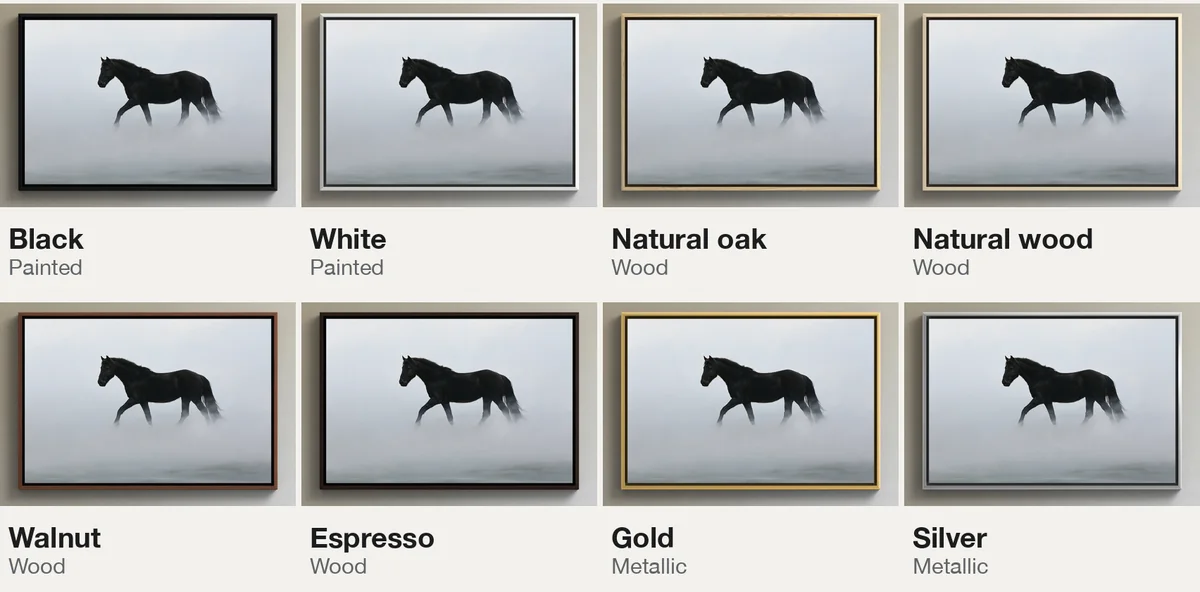
- 8 floating-frame finishesBlack, white, natural oak, natural wood, walnut, espresso, gold and silver, plus stretched canvas with no frame.
- A real gap, not a painted lineA dark recess between canvas and frame, with the frame face and a soft wall shadow. Default gap about 1.65% and face about 2.2% of the artwork’s short side.
- Adjustable on Lite and ProFrame width 60–150%, Floating gap 30–200%, canvas body depth 0.75, 1.25 or 1.5 in, saved in reusable profiles.
- Custom frame coloursUp to five saved colours on Lite or Pro, as wood grain, metallic or painted. Close approximations, not a factory colour match.
- Whole collectionsEvery artwork in every chosen room in one run: 30 designs in 8 rooms is 240 images.
- Exact artNever redrawn or upscaled by AI. This guide’s renders scored 0.994–0.997 out of 1 for match with the file (1.0 is identical).
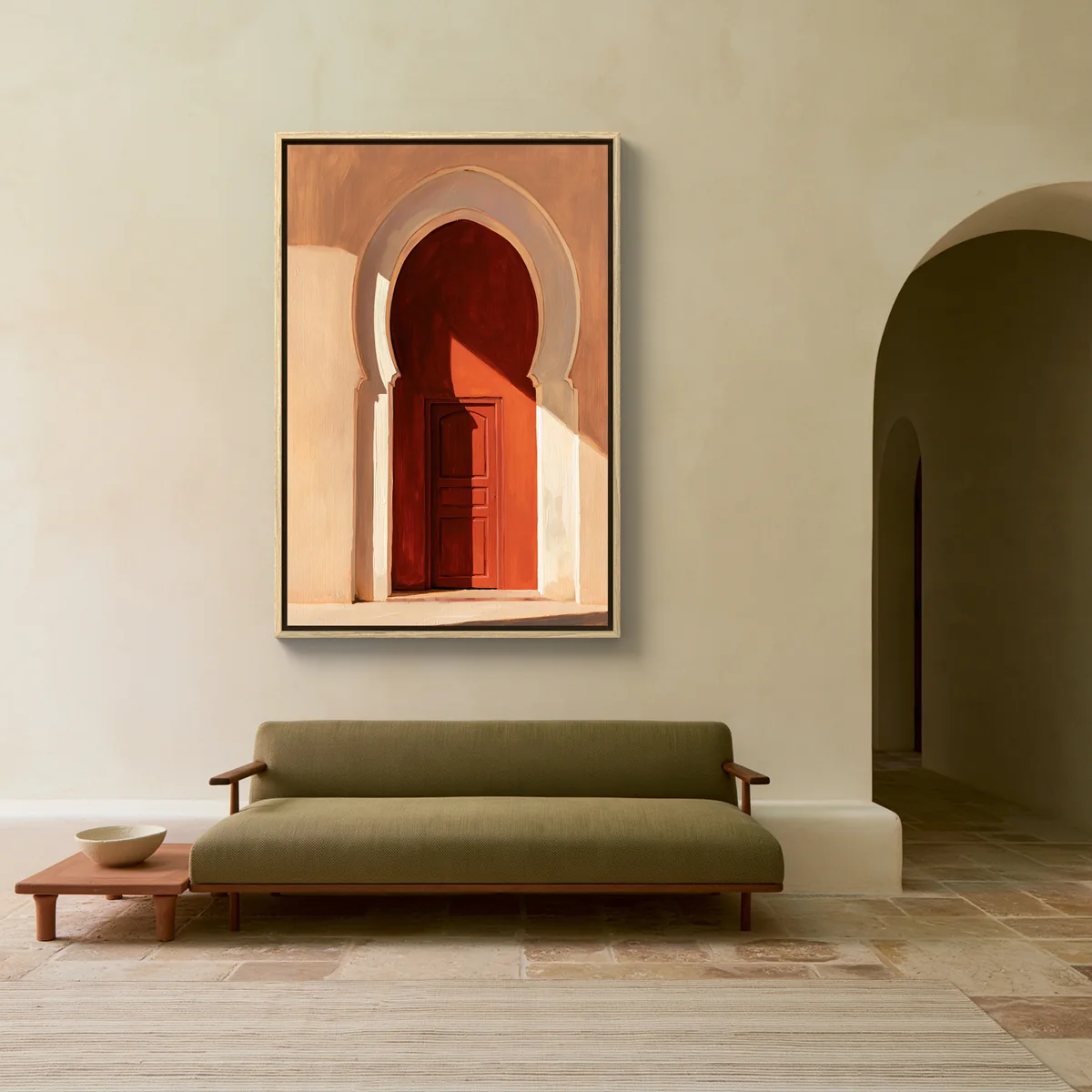
What makes a floating frame canvas look real
A floating frame, or floater, holds a stretched canvas from behind, so nothing covers the front of the art. In a listing photo, buyers read six details. A mockup that gets them right looks like the frame you ship; one that misses them looks like a framed print or a template.
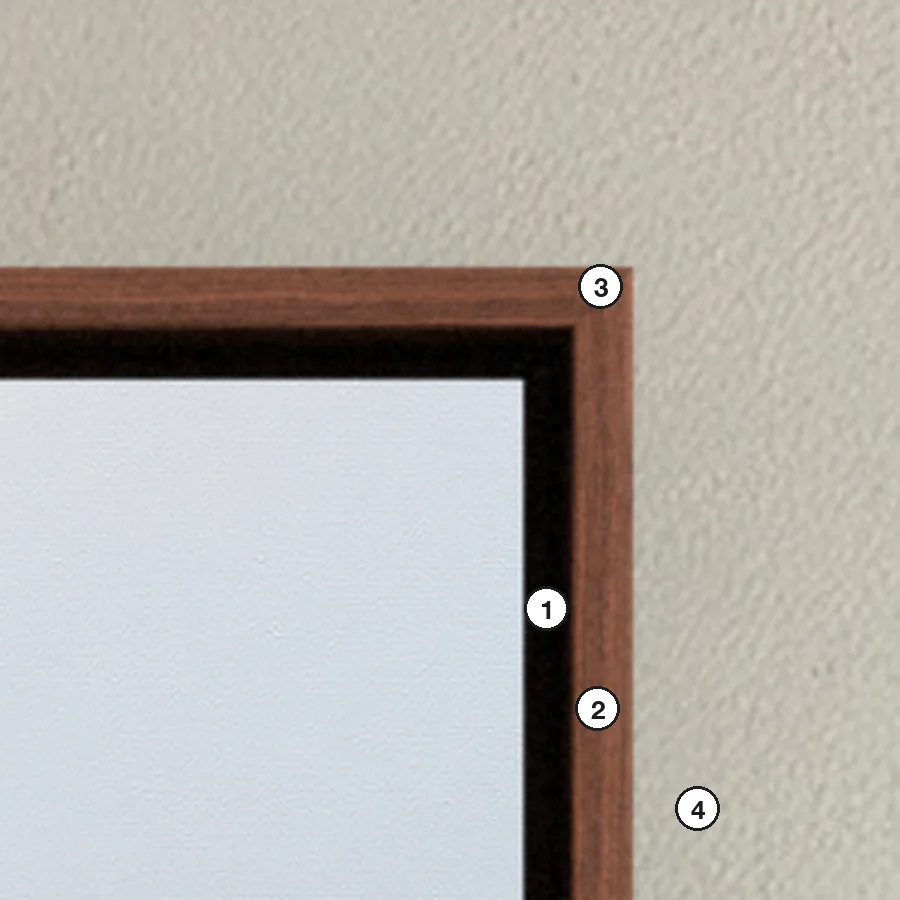
- The gap. A thin, even recess between the canvas edge and the inside of the frame, on all four sides. It reads dark, because you look into the frame’s inner wall and its shadow.
- The face width. The narrow front of the frame. Suppliers list between about 9 and 14 mm (see the table below); a chunky face reads as a heavier, different frame.
- The depth. From the front you don’t see depth directly. You see it in the shadow and, at an angle, in the frame side. WallMock offers canvas body depths of 0.75, 1.25 and 1.5 in.
- The finish colour. Black, white, wood or metal, matching the variant the buyer orders.
- The sheen. How the finish takes the light: even paint, visible wood grain, or a metallic highlight on gold and silver.
- The shadow. Soft and short, on the side away from the room’s light.
Here is the same horse painting in all eight WallMock finishes, in one bedroom, with the room, art and size unchanged:
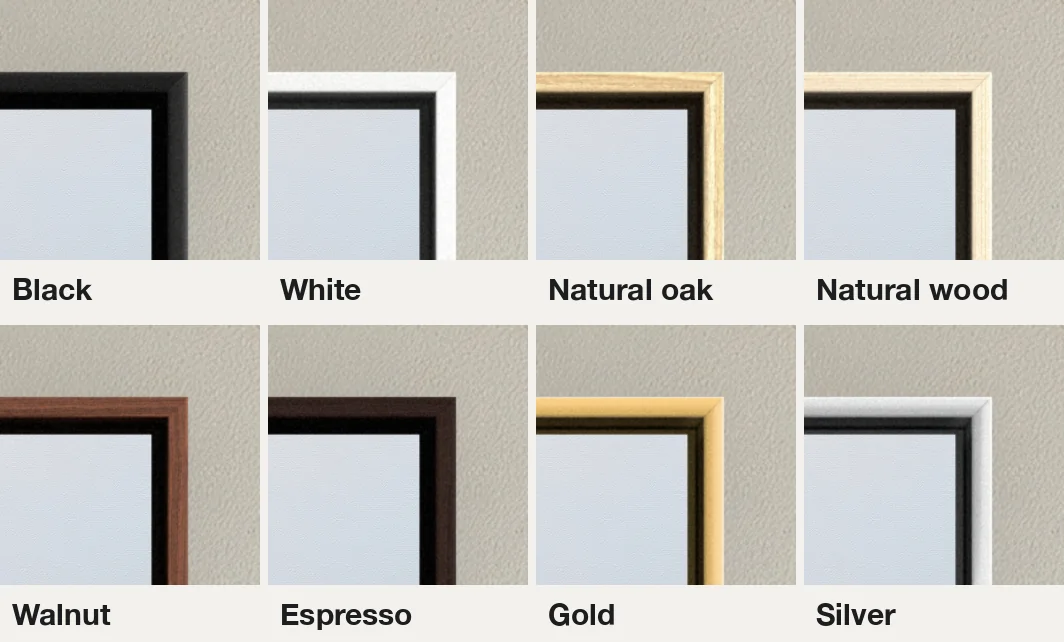
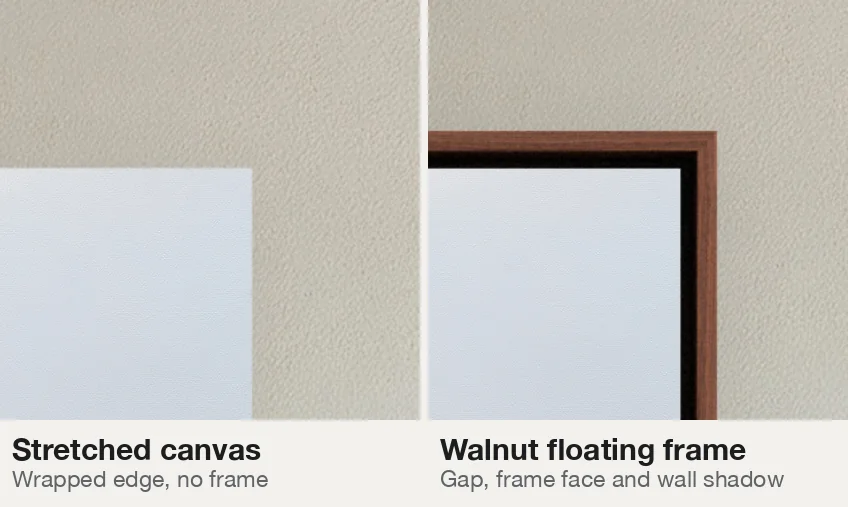
Floating-frame detail at 100%
Each square is a frame corner cut from a 4K (4096 px) WallMock image and enlarged 2× so the detail is easy to see; tap one to open the crop at 100%.
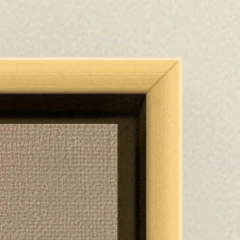
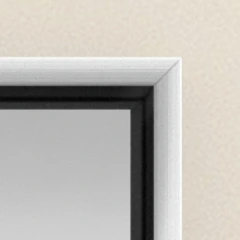
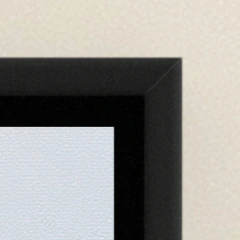
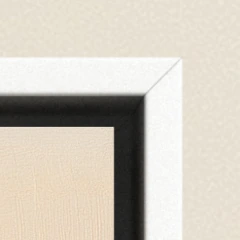
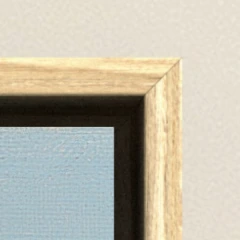
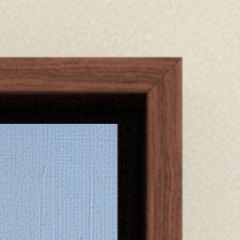
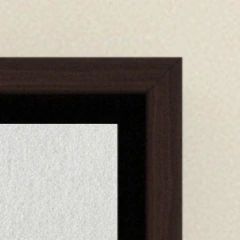
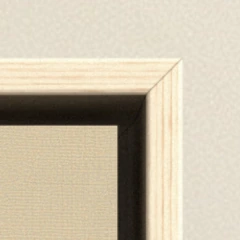
WallMock’s finishes are modelled on the frames print-on-demand labs commonly offer. Labs such as Lumaprints and Printseekers list black, white, gold, silver and wood floating frames; Lumaprints also lists natural oak and walnut with a wood-grain finish and describes its silver frame as brushed (their public product pages, checked 18 November 2026). WallMock draws brushed gold and silver, satin black and white, and wood grain on natural oak, walnut, espresso and natural wood. It is not a copy of any one lab’s frame, so compare a mockup with your supplier’s sample before you list it. Every frame finish up close · What changed in WallMock 3.
How to match your supplier’s floating frame
Print-on-demand suppliers name their finishes differently and list different details. The table maps each supplier’s floating frame colours, as their own pages list them, to the closest WallMock finish. Suppliers change products, so check your supplier’s current spec and, if you can, a sample.
| Supplier | What its page lists (checked 2026-11-06) | Closest WallMock finish | Tip |
|---|---|---|---|
| Printful | Framed canvas: black, brown, white. Frame 1.25 in (3.18 cm) thick. Black and brown frames are black inside; white frames are white inside. Gap not stated. | Black; Walnut or Espresso; White | For white, narrow the Floating gap: WallMock’s gap is dark on every finish. |
| Printify | Framed canvas page: black or walnut frames. Gap not stated. | Black; Walnut | Options can depend on the print provider you pick in Printify; check that provider’s product page. |
| Gelato | Framed canvas: black, natural wood, dark brown. 12 mm gap; face 9–14 mm; frame 42 mm deep in North America, 32 mm in Europe. Wood grain shows on natural wood and dark brown (on black only in Australia). | Black; Natural wood or Natural oak; Espresso or Walnut | A 12 mm gap is wide: try Floating gap above 100%. |
| Prodigi | Framed canvas: black, white, antique gold, antique silver, natural, brown. 5 mm gap; 12 mm face; 53 mm from the wall with a 38 mm canvas. | Black; White; Gold; Silver; Natural oak; Walnut or Espresso | A 5 mm gap with a 12 mm face: try a wider Frame width and a narrower Floating gap. |
| Lumaprints | Floating frame colours by canvas depth: 0.75 in black, white, silver, gold; 1.25 in black, natural oak, walnut; 1.5 in black, white, silver, gold, natural oak, espresso, maple, natural wood. Gap not stated. | Same names for most; maple as a custom wood colour | Set Canvas body depth to the 0.75, 1.25 or 1.5 in you sell. |
| Printseekers | 15 framed canvas frame colours: black, white, wood, dark wood, pure gold, pure silver, four premium woods (black, dark, gray, light) and five neons. Its floating-frame text names black, gold and silver. Gap not stated. | Black; White; Natural oak or Natural wood; Walnut or Espresso; Gold; Silver | Gray wood and neons as custom colours on Lite or Pro. |
Sources are listed at the end of this guide. Only Prodigi and Gelato state a gap; only Printful states the colour inside the gap.
Turn a supplier’s numbers into slider settings
WallMock draws its floating frame in proportion to the artwork, so it keeps the same presence at every print size. At 100%, the face is about 2.2% and the gap about 1.65% of the artwork’s short side. We measured our walnut render: a 16 px gap and a 20 px face on an artwork 938 px tall.
For a 16 × 20 in canvas (406 mm short side), the default draws a face of about 9 mm and a gap of about 7 mm. To start near Prodigi’s 12 mm face and 5 mm gap, try Frame width around 135% and Floating gap around 75%. For Gelato’s 12 mm gap, try Floating gap around 180%. These numbers fit a 16 × 20 in canvas only: suppliers use the same millimetres at every size while WallMock scales with the art, so smaller prints need higher percentages and larger prints lower. They are starting points for the eye, not millimetre settings: compare the corner with a sample photo before you list.
Customising the floating frame in WallMock
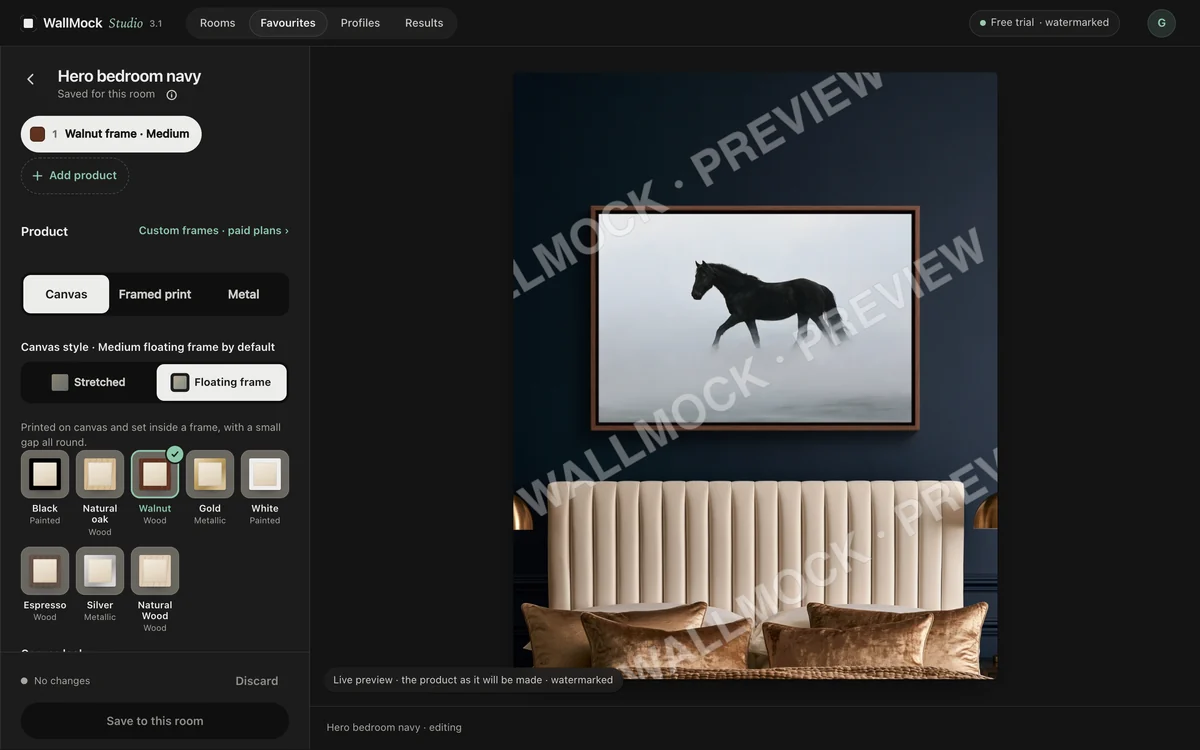
Everything below is in the live app. Choose Canvas, then Floating frame, then a finish. The swatches show what each finish is made of: Painted, Wood or Metallic.
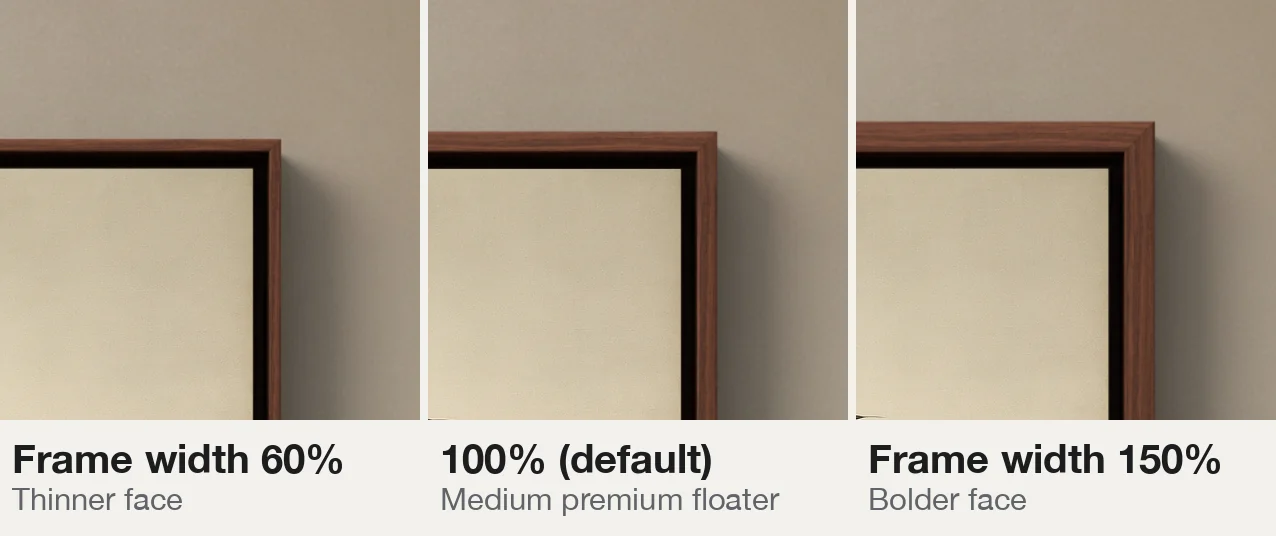
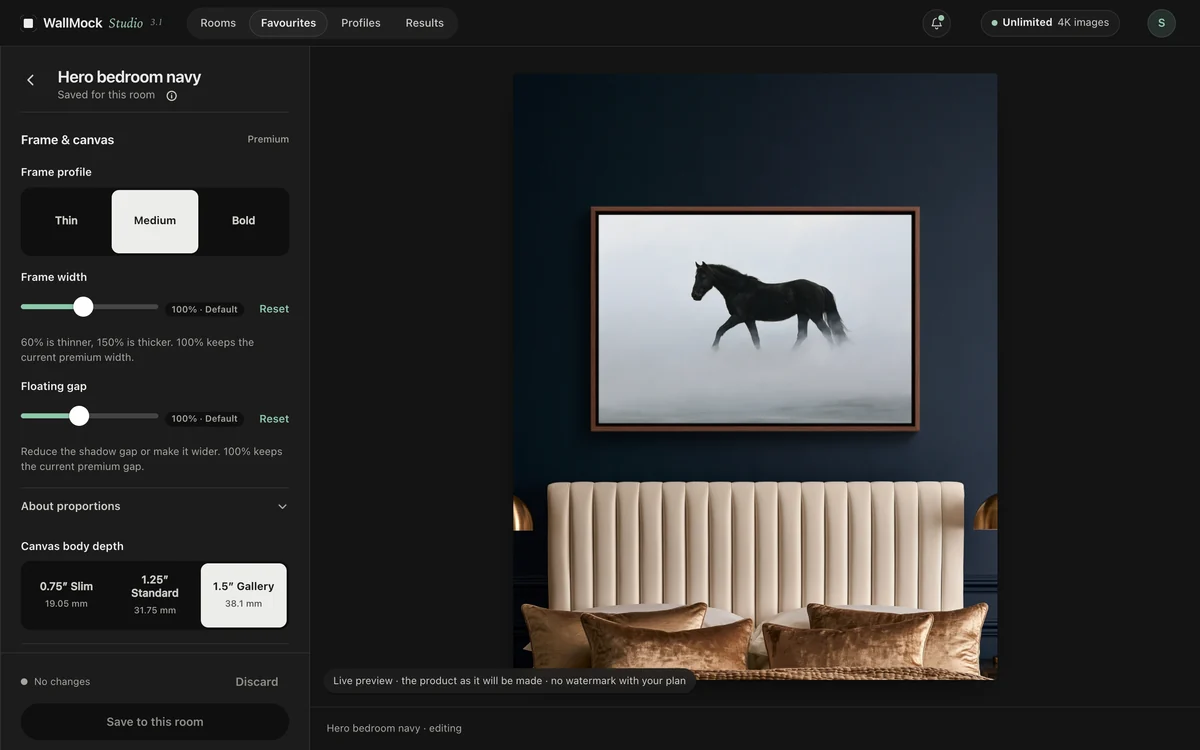
Frame width: thin, medium or bold
Medium is the default. On Lite or Pro, Frame width runs from 60% (thinner) to 150% (thicker), so you can get close to a slim floater or a bold one. The canvas keeps its proportions; a bolder frame or a wider gap makes it slightly smaller inside the room’s placement.
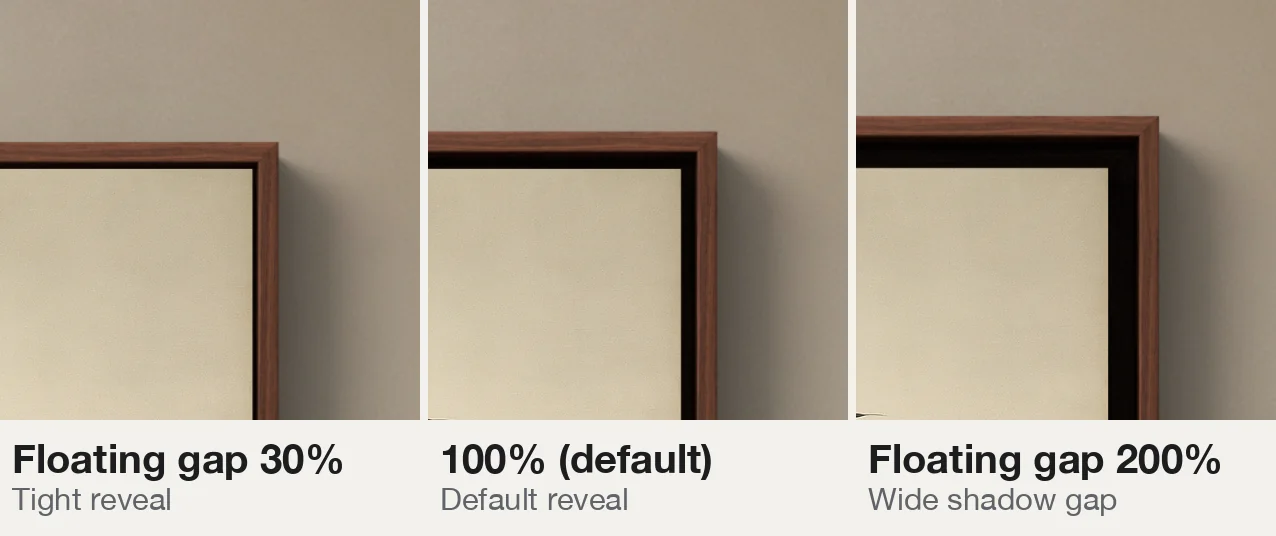
Floating gap: tight or wide
Floating gap runs from 30% to 200% of the default. Narrow it for a tight reveal like Prodigi’s, or widen it for a deep shadow gap like Gelato’s.
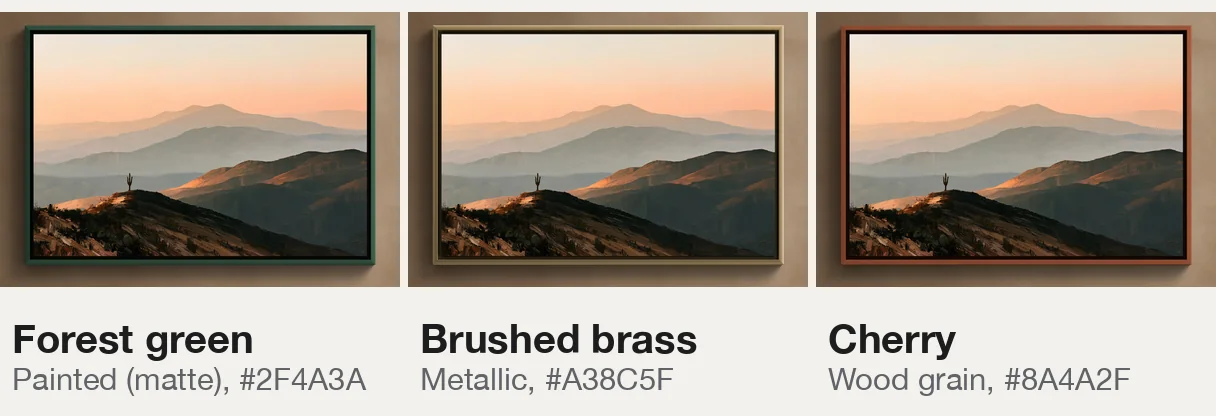
Custom frame colours (Lite and Pro)
Save up to five custom frame colours and reuse them in product profiles. Choose wood grain, metallic or painted, then pick a colour with the colour picker or one of 21 one-click colours (5 woods, 6 metals and 10 paints). Custom colours are close approximations, not a supplier’s finish. Some rooms keep only the frame looks we reviewed for them; custom frames work in all the others.
Sheen, as it really works
There is no separate sheen slider. The sheen comes with the finish: painted black and white look even, the woods show grain, and gold and silver have a metallic highlight. For a custom colour, the material sets it: wood keeps its grain, metallic its sheen and painted stays smooth. The highlights and the wall shadow follow the room’s light, or you can set light from the left, right or even under Advanced lighting.
Save it once as a profile
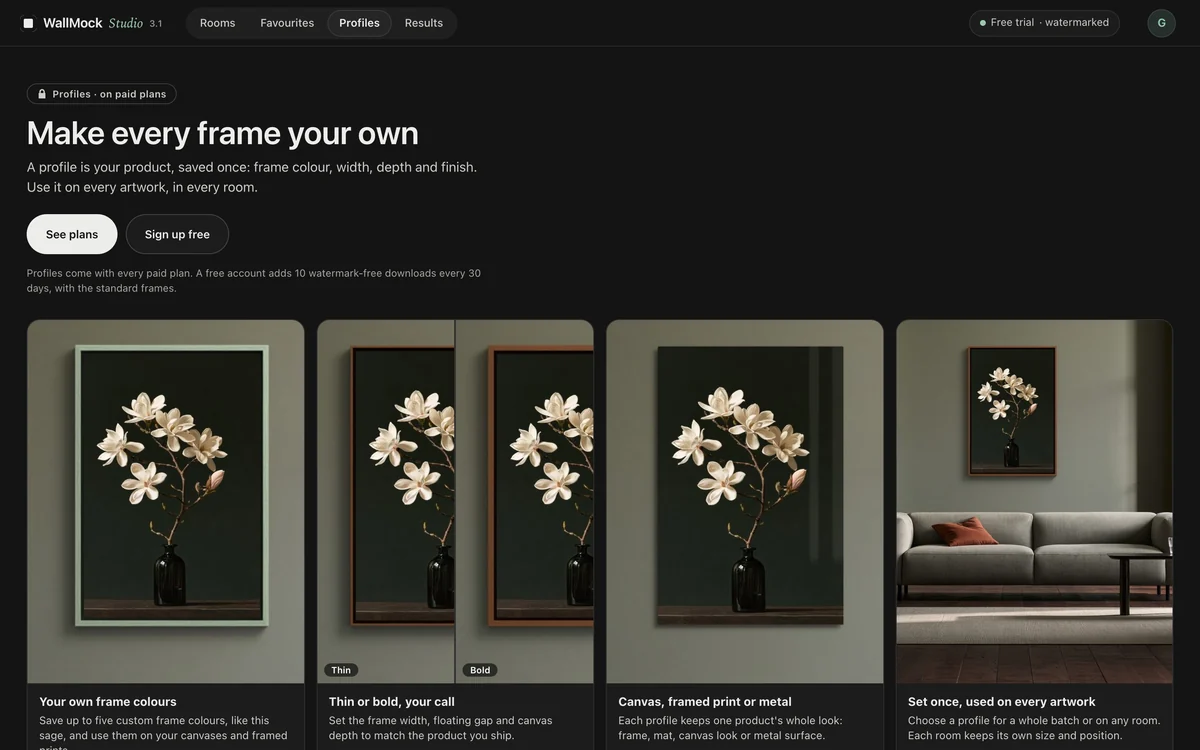
A profile saves one product’s whole look: frame colour, width, depth and finish. Profiles come with every paid plan. Free accounts use the standard frames.
Saving time on a whole collection
Matching the frame matters most when you do it once and reuse it for every design.
- Whole collections in one run. Add many artworks at once; WallMock makes each one in every room and frame look you saved. 30 designs in 8 rooms is 240 images.
- Favourite rooms and frame setups. Heart the rooms that suit your shop and save frame looks once, then reuse them for every new design, so every listing shows the same rooms and frames.
- One profile for the batch. Choose a profile for a whole batch or on any room; each room keeps its own size and position.
- A listing kit in one ZIP on paid plans: crops for a 4:3 Etsy first photo, 4:5, 2:3 Pinterest, 1:1 and 16:9, alt text for every photo and a listing checklist.
- Send to Shopify Beta: connect your Shopify store and your mockups go straight onto your products, hero first, with no downloading or re-uploading. In the limited beta, Pro includes 1 store and up to 10 products a month, and the WallMock Studio plan up to 3 stores with unlimited products; when it opens to all stores it will be on every plan, with up to 10 products a month on Free, Lite and Pro. See integrations.
Rendering runs in your browser, so time varies with your device, files, rooms and batch size; try a representative file before starting a collection. Lite is $5 a month for 200 clean 4K (4096 px) images; Pro is $15 a month for unlimited clean 4K images, fair use. From 1 Jan 2027, new subscribers pay Lite $9 a month or $79 a year and Pro $19 a month or $179 a year. Subscribe before then and keep today's price for as long as you stay subscribed. See pricing.
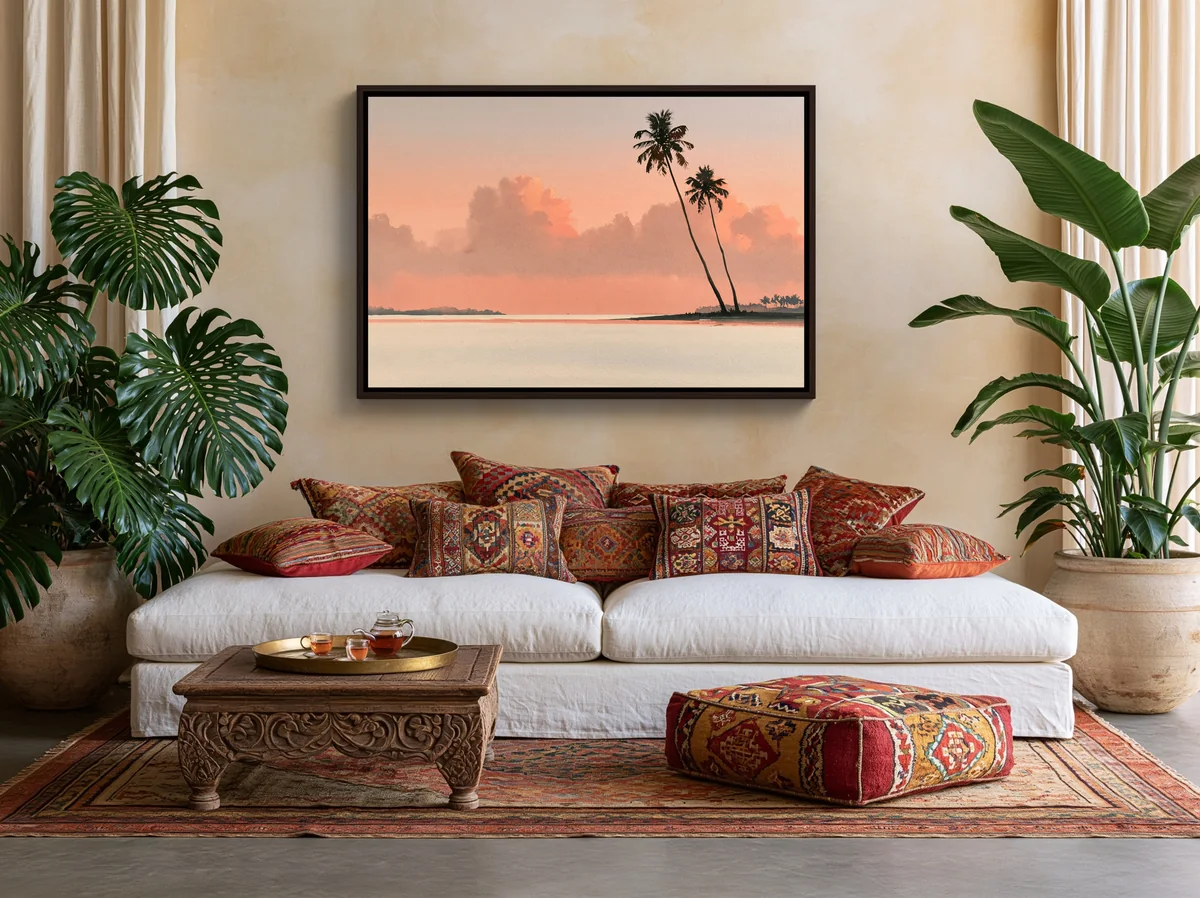

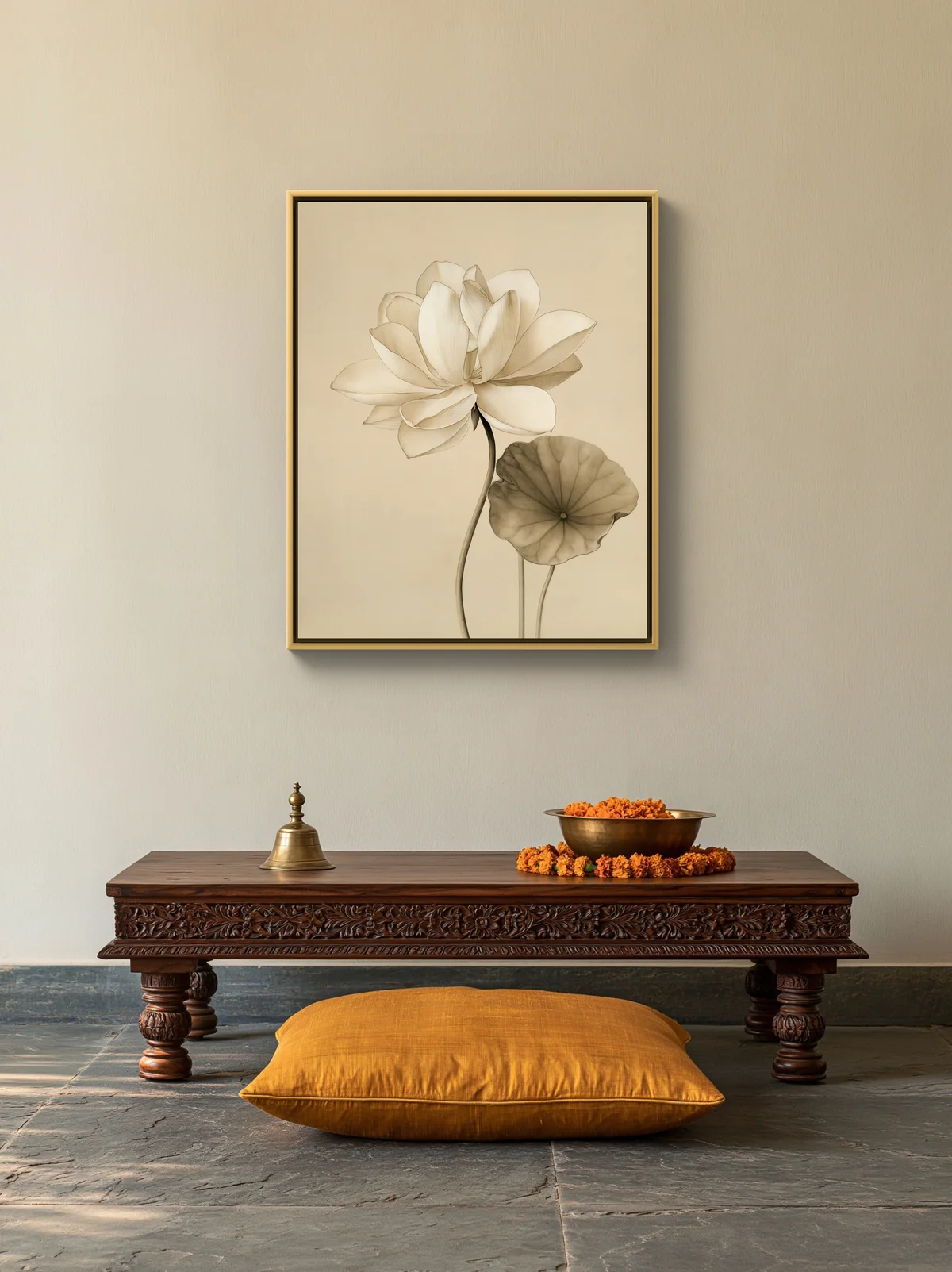
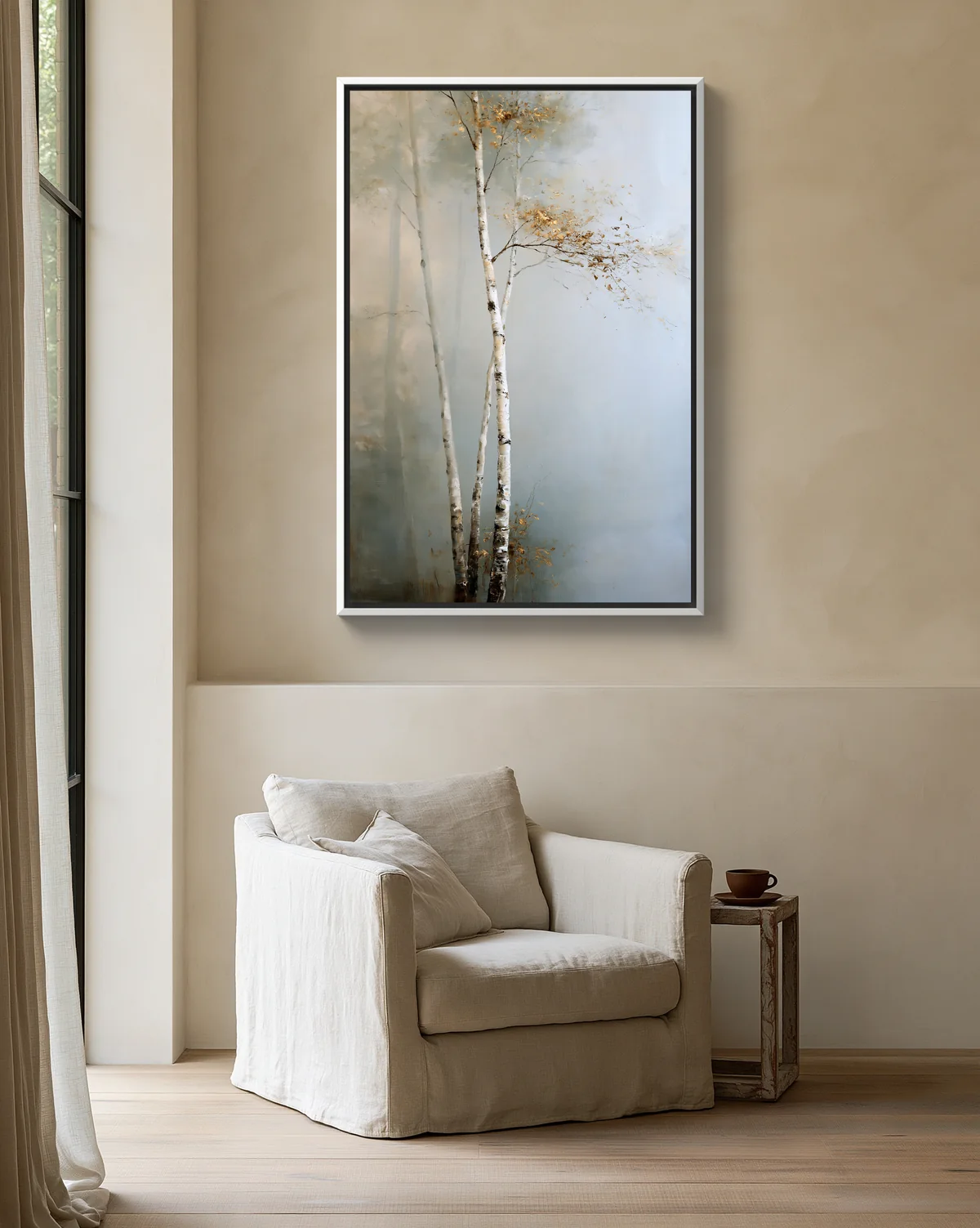
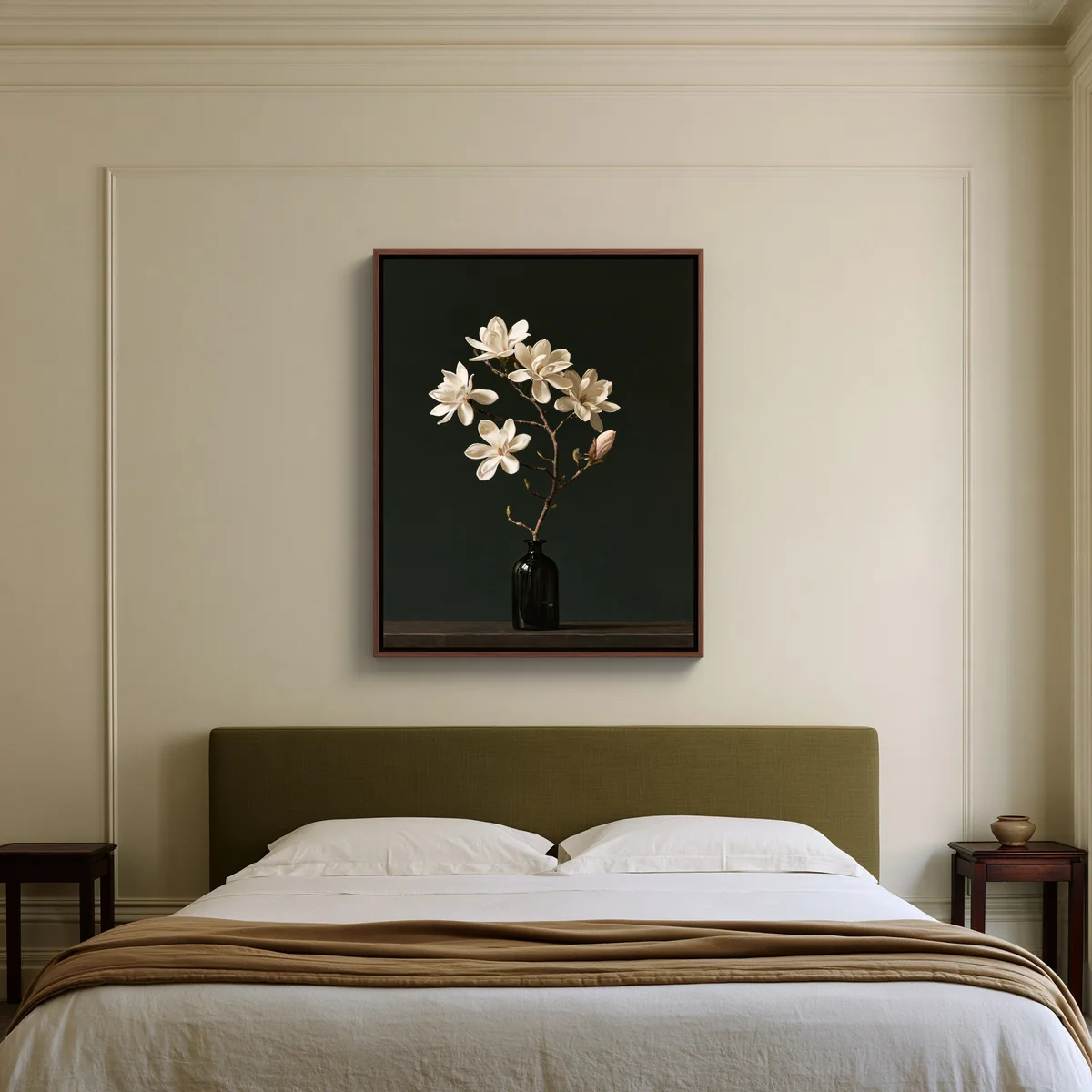
Flat templates vs real-construction mockups
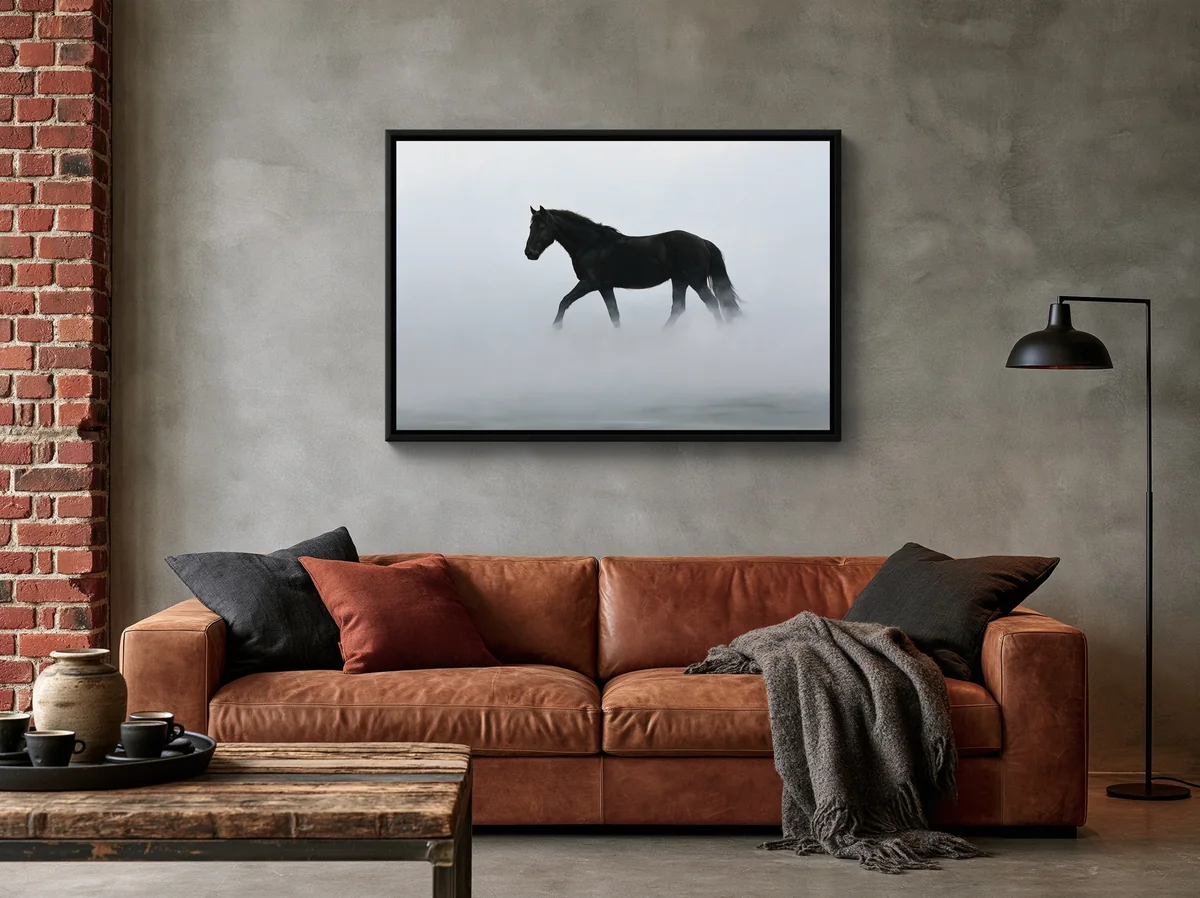
A typical flat template is a photo with a frame already in it, and your art is pasted into the opening. That is quick for one image, but the frame colour, the face width, the gap and the shadow are fixed in the photo. A construction-based mockup draws the frame around your canvas, so those details can change with the product you sell.
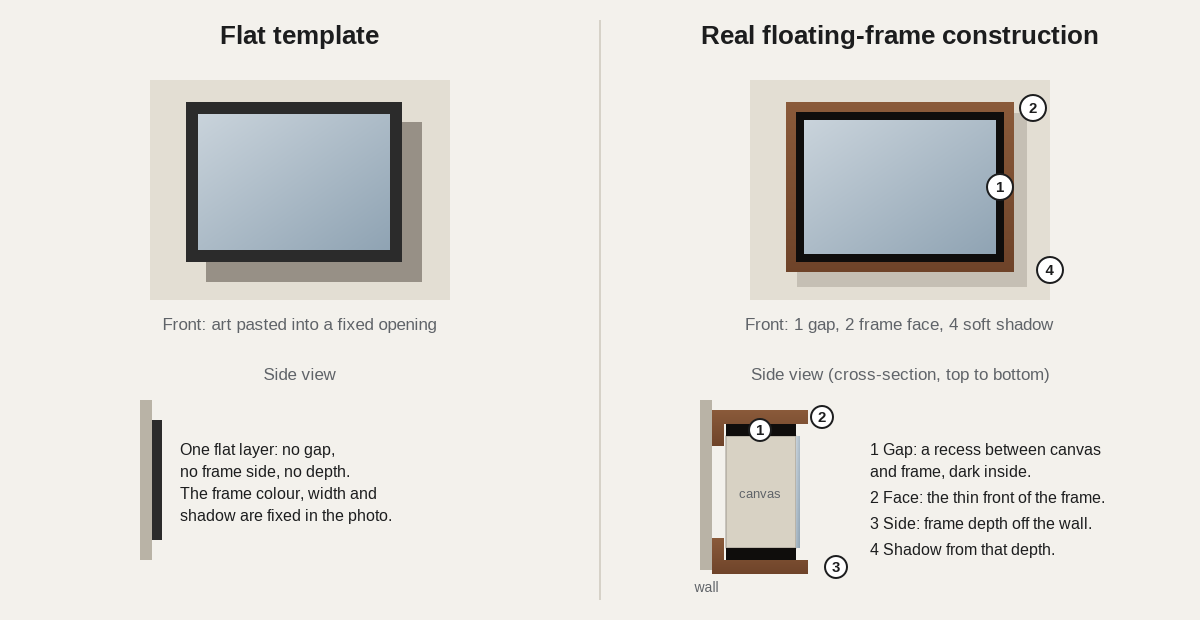
| Detail | Typical flat template | WallMock floating frame |
|---|---|---|
| Gap | Often none, or fixed in the photo | A dark recess on all four sides; Floating gap 30–200% on Lite and Pro |
| Face width | Fixed in the photo | In proportion to the artwork; Frame width 60–150% on Lite and Pro |
| Depth | Usually not shown | Canvas body 0.75, 1.25 or 1.5 in, read through the shadow |
| Colour | One colour per template file | 8 finishes, plus up to five custom colours on Lite and Pro |
| Sheen | Whatever the photo had | Set by the finish: even paint, wood grain or metallic highlight |
| Shadow | Fixed, or one drop shadow | Soft, following the room’s light |
| Art shape | Must fit the opening’s ratio | Each artwork keeps its own proportions |
| A collection | One file at a time | Every artwork in every chosen room in one run |
How to make floating frame mockups that match your supplier, step by step
- Look up your supplier’s frame. Open your supplier’s framed canvas page and note the frame colours, the face width, the gap and the depth it lists. Order a sample if you can and photograph one corner.
- Add your artworks. Upload one artwork or a whole collection. WallMock places each file as it is, at its own proportions; it is never redrawn, repainted or upscaled by AI.
- Heart the rooms you sell in. Choose rooms from 500+ curated rooms and save them as favourites, so every new design goes into the same rooms.
- Choose Canvas, then Floating frame and a finish. Pick the closest of the 8 finishes: black, white, natural oak, natural wood, walnut, espresso, gold or silver.
- Adjust the frame to your sample. On Lite or Pro, open Adjust and move Frame width (60–150%) and Floating gap (30–200%), choose a canvas body depth, or make a custom frame colour. Compare the corner with your sample photo.
- Save it as a profile. Save the look as a profile on Lite or Pro, then choose it for the whole batch or for any room.
- Generate and download. Make every artwork in every chosen room in one run. Check one corner at 100%, then download clean 4K images, with the listing kit crops on a paid plan.
To try the closest finish on your own art, the floating frame canvas mockup generator has all eight frame colours, with the gap drawn at every corner.
Read next: floating frame mockup tips, what a floater frame is, which frame colour to show and canvas depth.
Sources
- Printful: Framed canvas (colours, frame thickness, inside colour), checked 2026-11-06
- Printify: Custom framed canvas (frame colours), checked 2026-11-06
- Gelato Support: Start selling canvas and framed canvas (gap, face, depth, wood grain), checked 2026-11-06
- Gelato Support: FAQs framed canvas (colours), checked 2026-11-06
- Prodigi: Framed canvas (gap, face, depth, colours, materials), checked 2026-11-06
- Lumaprints: Framed canvas prints (floating frame colours by depth), checked 2026-11-06
- Printseekers: Print-on-demand framed canvas (floating frame colours), checked 2026-11-06
Supplier details are taken from each supplier’s own public pages and paraphrased. WallMock details were checked in the live app on 6 November 2026. Images are WallMock renders of the founder’s own artwork.