Smartist suits
Artists on an iPhone, iPad or Mac who want to preview a piece in their own or a client's room, or in augmented reality.
Compare · Facts checked 2026-10-29
Short answer: Smartist alternative for Windows and Android users: WallMock runs in a supported modern web browser, while Smartist is an app for iPhone, iPad, Mac and Apple Vision Pro, with no Android or web version yet. Smartist leads on its polished Apple app, your own room, augmented reality and a large ratings base. WallMock makes whole collections in saved rooms, draws the floating-frame gap, never redraws your art and exports 4K (4096 px) images, including on a free account. Published by WallMock; facts checked 2026-10-29.
Artists on an iPhone, iPad or Mac who want to preview a piece in their own or a client's room, or in augmented reality.
Etsy and Shopify sellers in a supported browser who list many designs as canvas or framed prints, all in the same favourite rooms.
Keep Smartist on your iPhone for client previews, and use WallMock on your Windows PC for listing photos.
Facts checked 2026-10-29 on each company's own pages, US dollar prices. "Not stated" means its pages don't say, not that it can't.
| Facts checked 2026-10-29 | WallMock | Smartist |
|---|---|---|
| What it is | A wall art mockup generator that runs in your web browser | An art preview app for Apple devices |
| Works on | A web browser on Windows, Mac, Android, iPhone or iPad; nothing to install | iPhone, iPad and Mac, with Apple Vision in its App Store compatibility list. Android: "Not yet". No web version |
| Rooms | 500+ curated, digitally staged rooms reviewed by WallMock | 5 interiors on the free plan per its home page (8 per its help centre); 3000+ on Pro |
| Your own room | No: 500+ curated rooms only | Yes: upload your own space; augmented reality is listed as a feature |
| Your artwork | WallMock places your file as it is: it is never redrawn, repainted or upscaled by AI. | Not stated on the pages we checked |
| Many designs at once | Yes: save favourite rooms once, add a whole collection, get every artwork in every chosen room | 1 to 20 artworks on one wall in a layout; making separate mockups for many designs at once is not stated |
| Floating frame canvas | A floating frame with the gap shown, in 8 finishes | A Float frame type; the gap is not described |
| Canvas edge | Stretched canvas, front-on with its wall shadow; no edge-colour choice | A side colour for unframed art |
| Framed prints | Metal prints (frameless aluminium panel); framed prints in a wood frame, or aluminum framed prints in black, gold or silver, with or without a mat | Custom frames and mats, including a clear mat |
| True scale | Partly: you enter your artwork's real size; 332 rooms draw it against an estimated wall scale (estimated from the photo, not measured) | Yes: you enter your artwork's dimensions |
| Largest export | 4K (4096 px) on Free and paid plans | 3840 × 2400 px |
| Free option | Free accounts include 50 watermark-free previews every 30 days. On desktop, this allowance covers detailed Favourites previews. Quick previews in eligible Rooms are unlimited. Paid plans include unlimited previews. Usage safeguards and device limits apply. You get 10 watermark-free 4K (4096 px) downloads every 30 days; unused downloads do not carry over. The first 10 free downloads over your account's lifetime can use all 500+ rooms; after that, 8 free rooms remain. When you use all 10 downloads, you can still use your available previews. Refills do not reopen the full library. Free downloads are for single artworks. Sets and listing kits need a paid plan; listing videos need Pro. Send to Shopify is in limited beta on Pro and the WallMock Studio plan; when it opens it will be on every plan. Paid plans add more images: Lite 200 a month, Pro unlimited. No sign-up needed for the guest studio | Free plan; free exports carry a small watermark |
| Price | Lite $5/month: 200 clean 4K (4096 px) images a month; Pro $15/month: Unlimited clean 4K (4096 px) images; or yearly: $39, $144. New subscribers from 1 Jan 2027: Lite $9/month or $79/year, Pro $19/month or $179/year; subscribe before then and keep today's price for as long as you stay subscribed. Fair use: paid plans can open any room in the library. Up to 300 images a day can be made on WallMock's server; images made in your browser, on your device, do not count toward that limit. | Pro $19.99/month, or $7.49/month billed yearly (shown as 60% off); 7-day Pro trial; price depends on your region |
| Ratings | Not on an app store; no public ratings | 4.8 from about 8.5K ratings on the US App Store |
It runs in a browser. WallMock opens in a web browser on a Windows laptop, a Mac, an Android phone or an iPad, with no app to install. Previews and images are made in your browser, on your device.
It makes whole collections, not one mockup at a time. Heart the rooms you like, save the frame look once, then add a whole collection: every artwork is made in every chosen room. Worked example: 30 new designs in 6 saved rooms is 180 images, inside the Lite plan's 200 images a month ($5). Pairs, trios and sets of four go on one wall.
It shows the products print-on-demand shops ship. Framed canvas sits in a floating frame with the narrow gap drawn between canvas and frame, in black, white, natural oak, natural wood, walnut, espresso, gold and silver. Metal prints show your art on a frameless aluminium panel, and framed prints come in a wood frame or as aluminum framed prints in black, gold or silver, each with or without a mat. See the gap up close on the framed canvas mockup generator page.
Your art is never redrawn. WallMock places your file as it is: it is never redrawn, repainted or upscaled by AI. Lettering, signatures and fine lines stay as you made them. More in our guide to AI mockup generators: exact art or redrawn art.
Bigger files. Paid images are 4K (4096 px), against Smartist's 3840 × 2400 px maximum. Check the short edge and aspect ratio too: cropping a wide room to square reduces its pixel dimensions.
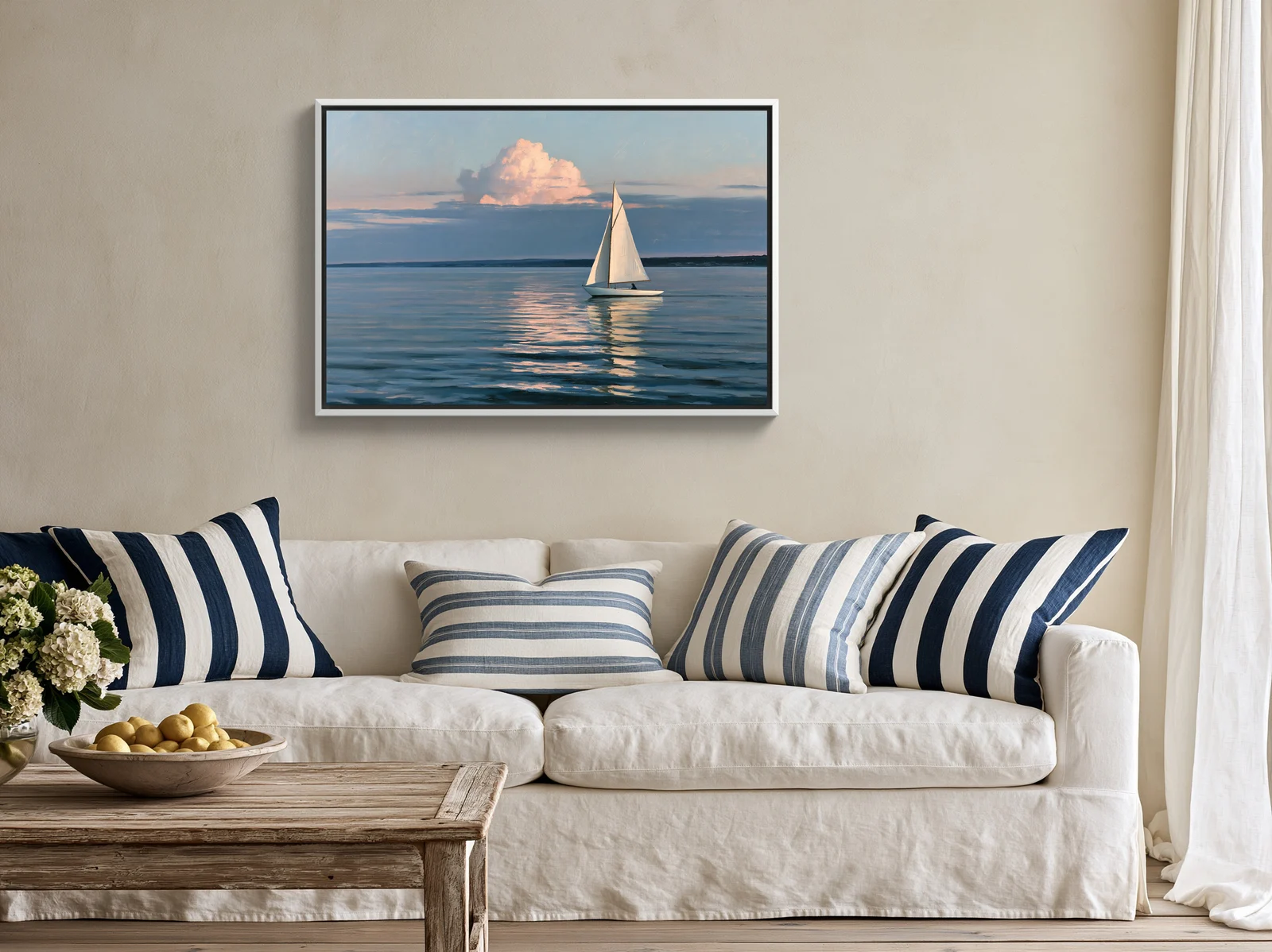
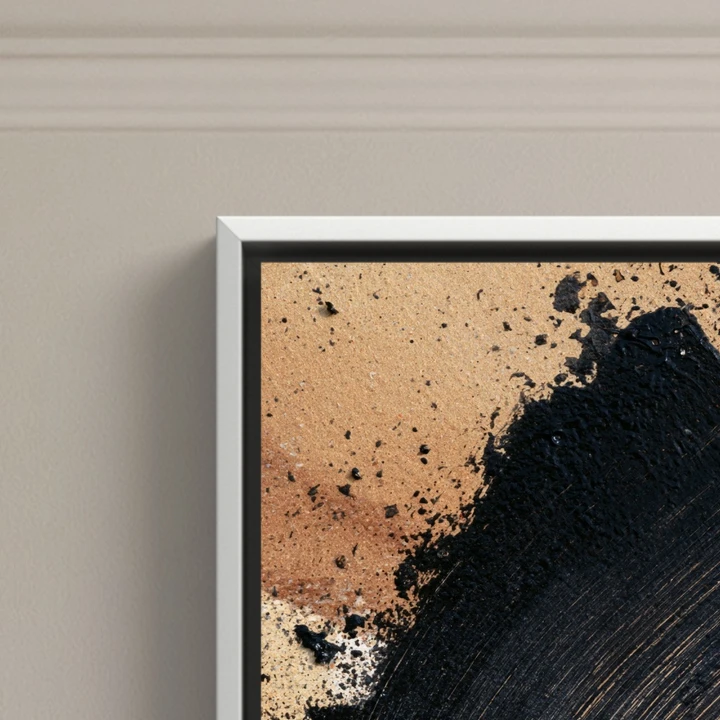
To judge the WallMock output, compare two 4K exports of the same panoramic canvas in black and natural oak. The art, room and placement are identical, with a corner crop for inspecting the floating gap.
Product names are trademarks of their owners; WallMock is not affiliated with them.
Yes. Smartist's help centre says it is only available on Apple devices (checked 2026-10-29), so there is no Windows version. WallMock runs in a web browser, so it works on a Windows PC with nothing to install.
Not yet. On 2026-10-29 Smartist's help centre answered "Not yet" and said an Android version is being worked on. WallMock works in the browser on an Android phone or tablet today.
WallMock is a browser-based alternative: open it at app.wallmock.com, with no download. Try WallMock free with no sign-up and no card: up to three artworks in 8 sample rooms, as watermarked previews made on your device.
On 2026-10-29 Smartist's site showed Pro at $19.99 a month, or $7.49 a month on the yearly plan, and its help centre says the price depends on your region. WallMock plans are Lite $5, Pro $15 a month, or Lite $39 and Pro $144 a year. From 1 Jan 2027, new subscribers pay Lite $9 and Pro $19 a month, or $79 and $179 a year.
No. WallMock uses its own 500+ curated rooms and has no upload for your own room photo. Smartist lists both own-room uploads and augmented reality. WallMock also has a size-view feature; see its features page for the supported flow.
Smartist's help centre gives a maximum of 3840 by 2400 pixels (checked 2026-10-29). WallMock's downloads are 4K (4096 px) on Free and paid plans.