01Your frames, built for you
We model your mouldings and finishes from your specs and product photos, the way we built WallMock's own frames. You approve them against your own photos before any shopper sees them. They stay private to you.
For print labs and framers · Pilots by request
WallMock's frame visualizer is a preview for print labs, framers and wall-art shops. On your product page, a shopper uploads their own artwork, picks one of your frames and a print size, and sees it framed on a wall in a set of curated, digitally staged rooms, drawn to scale. You add it with one snippet. It is in development: a working prototype runs on our test pages, and early-access pilots are open by request.
The email to hello@wallmock.com opens with a few questions filled in. No sign-up and no card.

In development Status on 21 November 2026: a working prototype runs on our own test pages, with WallMock's production preview renderer and rooms. It is not live on any lab's website yet, and there is no self-serve sign-up. Early-access pilots are open by request: we set it up with you.
This is the prototype running on a fictional demo lab's product page, at computer and phone screen widths (the phone width emulated in desktop Chrome). The shopper has uploaded a painting and picked the black floating frame at 16 × 24 in. Four rooms appear beside the lab's own Add to cart button.
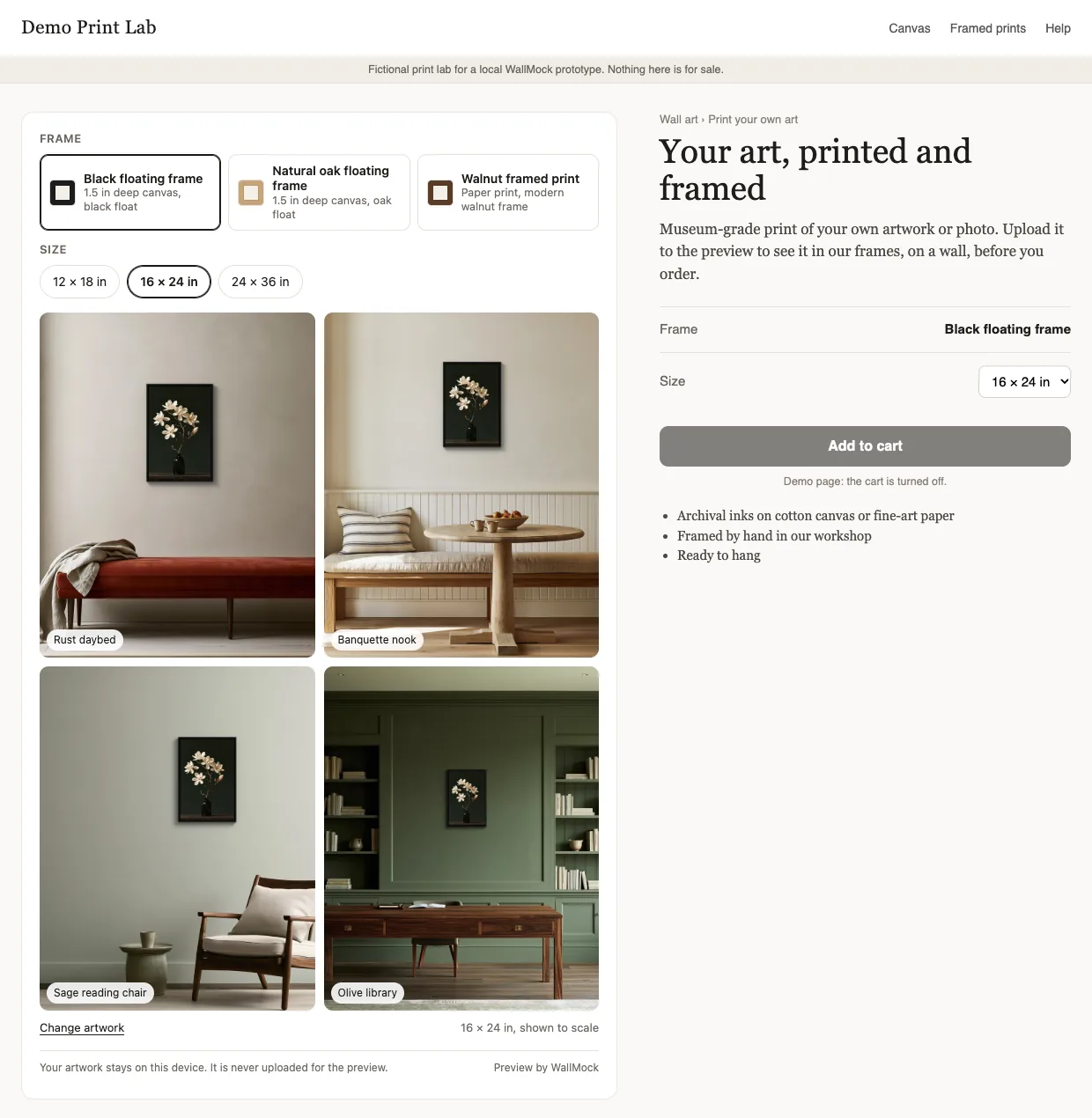
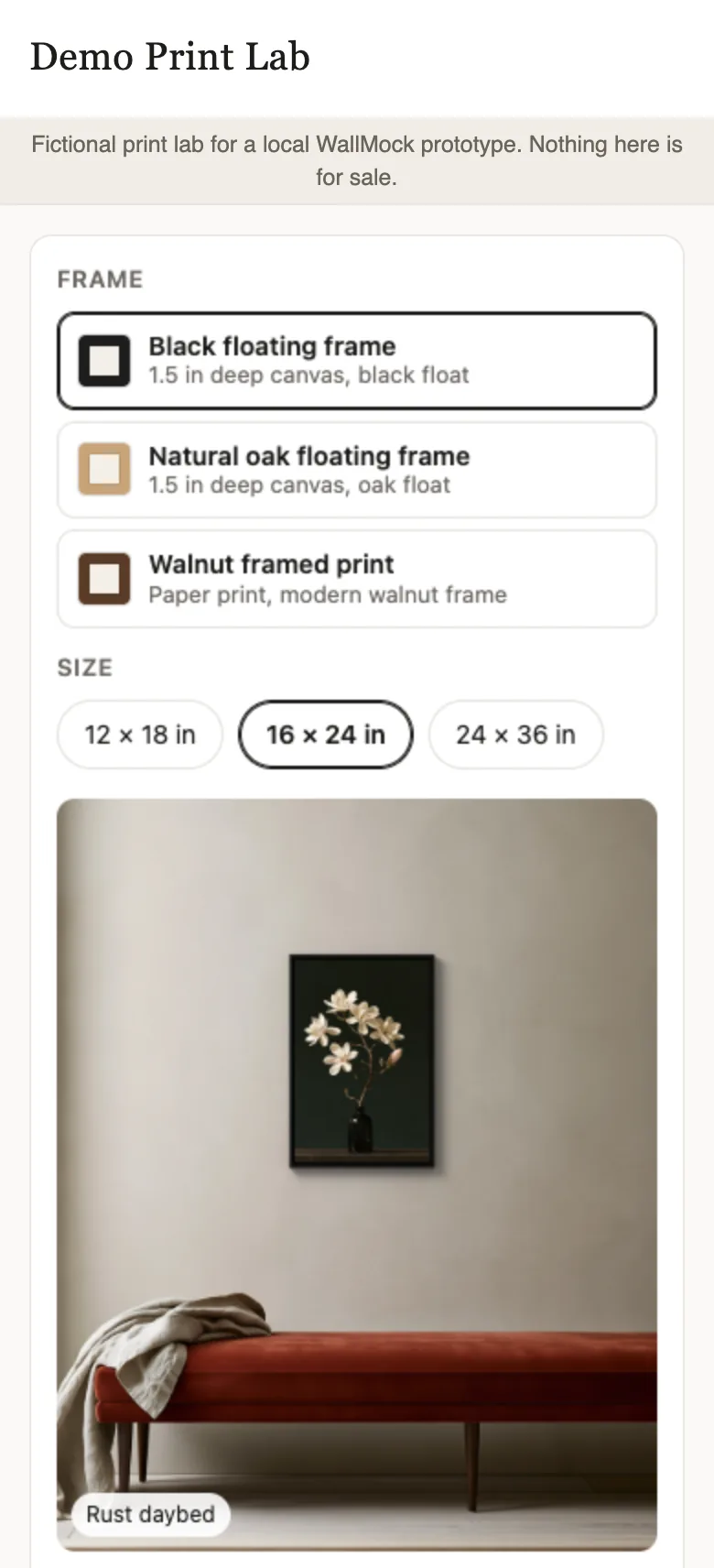
Prototype screenshots, 20 November 2026. "Demo Print Lab" is fictional, its cart is switched off, and its three frames are WallMock's own, standing in for a lab's range. Rooms are curated, digitally staged interiors from WallMock's library.
Someone ordering a frame for their own art usually sees it on a sample picture or a plain white background, then guesses. The preview replaces that guess with their own artwork, in your frame, on a wall, at the size they are about to buy.
These are the results we expect a preview to bring. We measure them with each pilot lab: add-to-cart rate on the upload page, which frames people choose, and frame-related returns.
Prototype renders as the shopper sees them, not retouched; the daybed images are trimmed by 6 px at the bottom edge. The same painting throughout.
Same room, same size, three frames. Once the first rooms are shown, switching took under 0.1 seconds in our 20 November test run.
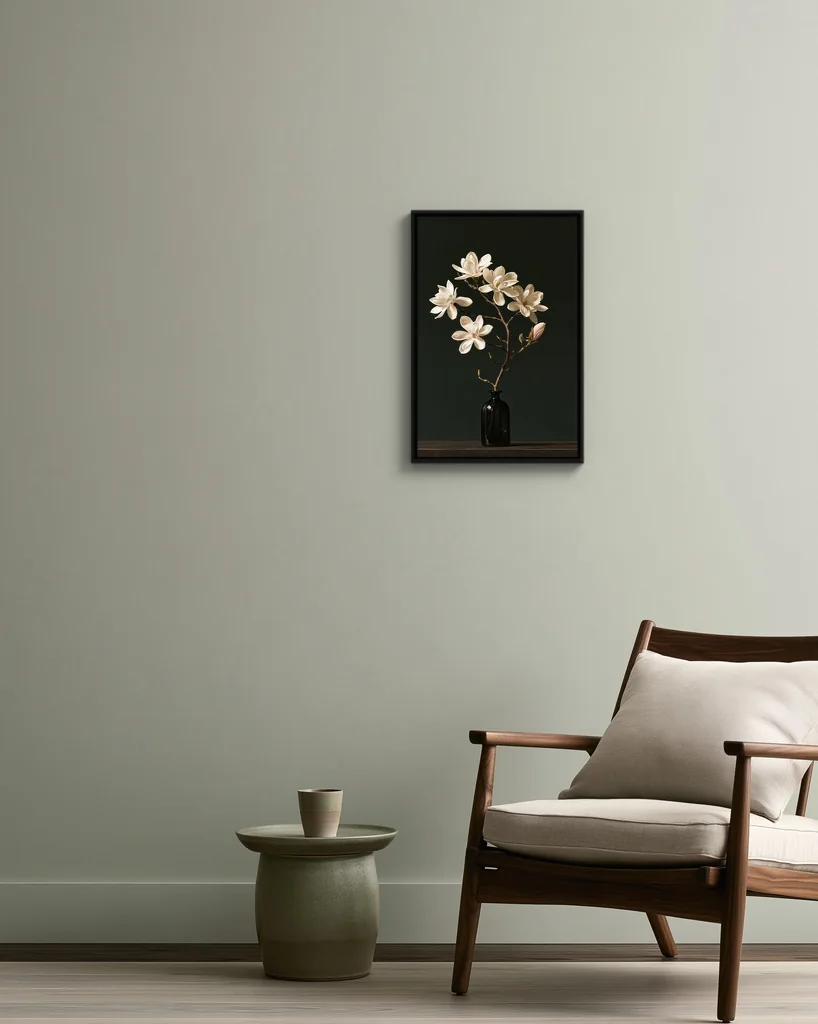

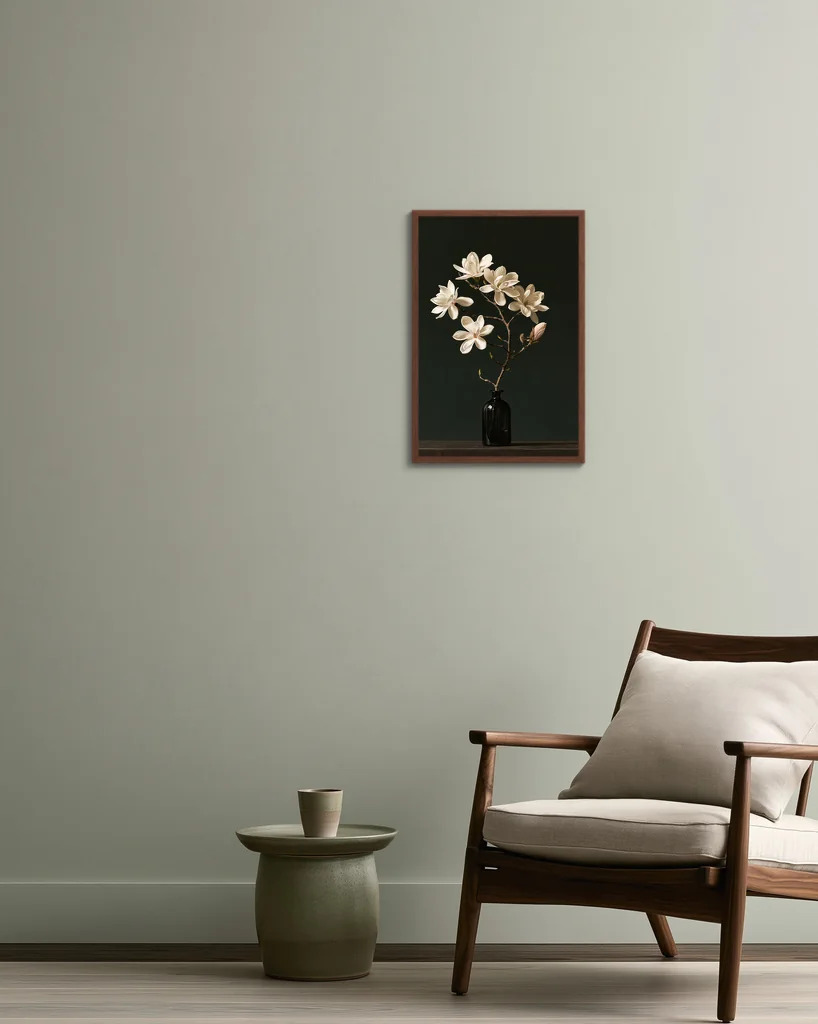
Same room, same frame, three print sizes, each drawn to the room's estimated wall scale.


Prototype renders, 1024 px previews, 20 November 2026. Artwork: founder AK's own painting. Frames: WallMock's own, standing in for a lab's range. A pilot builds your frames instead. The scale is estimated from each room image, not measured on a physical wall.
Everything a shopper needs to choose a frame with confidence, set up for you.
We model your mouldings and finishes from your specs and product photos, the way we built WallMock's own frames. You approve them against your own photos before any shopper sees them. They stay private to you.
A set of curated, digitally staged rooms (4 to 12, by plan) chosen for your products, each checked at every size you sell.
Every print size is drawn to the room's estimated wall scale, so a shopper sees what 16 × 24 in looks like over a daybed.
The shopper's file is placed as supplied, never redrawn or restyled. All 20 prototype previews passed our exact-art check, at computer and phone screen widths.
One snippet of HTML, designed for Shopify, WordPress and WooCommerce, Wix or your own build. No app to install, no theme rebuild. Your platform is tested in the pilot.
The preview can follow your own frame and size pickers, and tells your page which frame the shopper chose, so Add to cart matches.
Your frame names, sizes and colours. A small "Preview by WallMock" line, removable on larger plans.
Drawn in the shopper's browser: their art is not uploaded to us for the preview. No shopper accounts, no tracking cookies.
Previews show on your own domains, not on other websites, and billing has per-network limits. Set an optional monthly cap if you want a fixed bill.
One snippet on your product page. We do the frame and room work.
Designed for these platforms; yours is tested in the pilot:
<!-- on your product page -->
<div id="wallmock-preview"></div>
<script async
  src="https://<widget-host>/v1/widget.js"
  data-key="wm_pub_live_…"
  data-preset="float-black"
data-size="16x24"></script>Start with a free 60-day pilot. We would rather you see it working with your own frames and shoppers first.
Freefor 60 days
$49a month and up
Early-access pricing, may change. Prices in US dollars, before any sales tax. Preview allowances are deliberately generous because each preview costs us very little to run.
The prototype uses the same preview renderer and room library as the WallMock web app, on our own test pages with a fictional demo lab. Numbers from our run on 20 November 2026 on a fast Mac laptop. The pages and room files were served from the same computer, so the timings leave out internet download time (about 12 MB for a new shopper's first preview); frame and size switches were timed after the first rooms had loaded.
| Check | Result | Status |
|---|---|---|
| Upload to four rooms on screen | About 1.6 seconds (Chrome, served locally) | Measured |
| Switching frames | 0.03 to 0.09 seconds | Measured |
| Choosing a new print size | About 1.4 to 2.0 seconds | Measured |
| Exact art | All 20 previews passed, each checked at computer and phone screen widths | Measured |
| Size to scale | Within 0.6% of each room's estimated wall scale | Measured |
| Phone and computer | Identical pictures (phone screen emulated) | Measured |
| Domain lock | A page on another website gets no preview | Tested |
| Real phones, Safari and Firefox | Speed and support checked in the pilot | Not yet |
| Speed over the internet | Download time for a new shopper, on real networks | Not yet |
| Live on a lab's own website | First pilots by request | Not yet |
Our own separate review rounds for picture quality and for security passed the prototype (security with notes for the full build), after earlier rounds found problems that were fixed. This is internal review, not an outside audit.
What you print, your frames, your print sizes, what your website runs on and roughly how many shoppers upload art each month.
For up to 3 frames to start: profile drawings or sample photos, face width, depth, finish photos and mat options, plus your staging site address.
We render your frames next to your own product photos. Nothing goes to shoppers until you approve them.
On your staging site first, then on your product pages. We aim for about 3 to 4 weeks from your yes and frame details to a staging test; the free 60 days start when it goes live.
Companies that sell framed or canvas wall art made from their customers' own artwork or photos.
Framed prints, canvas and metal ordered by shoppers on your own website.
Custom framing shops that want shoppers to see the moulding on their art before they order.
Shops that print a shopper's photo or artwork as canvas or a framed print.
Suppliers with a storefront where shoppers order wall art directly.
Tell us what you print, which frames you sell and what your website runs on. We will reply with an honest answer on fit and a plan for your pilot. The email opens with these questions filled in.
Requests go to hello@wallmock.com. Want to see WallMock's renderer today? Try Free makes watermarked previews of your own art in WallMock's frames and rooms, with no sign-up and no card.
Listing mockups and one-call listing packs for sellers.
Mockups of your frames for your sellers' listings.
Your frame range as private presets. Talk to us.
What to record, check and deliver.
Every WallMock finish at the corner.
The checks behind “never redrawn”.
A preview for print labs, framers and wall-art shops. On your product page, a shopper uploads their own artwork, picks one of your frames and a print size, and sees it framed on a wall in curated, digitally staged rooms, drawn to scale, before they order. You add it to your website with one snippet.
Not generally. It is in development: a working prototype runs on our own test pages, and early-access pilots are open by request at hello@wallmock.com. There is no self-serve sign-up and no general launch date yet.
Paste one snippet, a <div> and a <script> line, onto your product page. On Shopify that is a Custom Liquid section in the product template; on WordPress an HTML block; on Wix an embed code element. Developers can also listen for the shopper's frame and size choices and keep the page's own options in step.
It is designed for any website that lets you add HTML and a script: Shopify, WordPress and WooCommerce, Wix and custom-built sites. So far it has run on our own test pages in desktop Chrome. In a pilot we test it on your platform and staging site, including Safari and Firefox, before it goes on your live product pages. A no-code Shopify app block is planned later.
You send profile drawings or sample photos, face width, depth, finish photos, mat options and sizes. We build your frames the way we built WallMock's own, then send a sheet with our renders next to your product photos. Nothing reaches shoppers until you approve it, and your frames stay private to your account.
The preview is drawn in the shopper's own browser, so their artwork is not uploaded to WallMock for it, and nothing is stored or used for training. There are no shopper accounts and no tracking cookies. The artwork is placed exactly as supplied, never redrawn.
In our prototype test on a fast Mac laptop, four rooms appeared about 1.6 seconds after upload, switching frames took 0.03 to 0.09 seconds and a new print size about 1.4 to 2.0 seconds. Everything was served from that same computer, so internet download time is not included, and switches were timed after the first rooms had loaded. Real-world speeds, on phones and in Safari and Firefox, are measured in each pilot.
A pilot is free for 60 days from when it goes live on your product pages, including up to 3 of your frames. After the pilot, plans are $49, $149 or $399 a month with 10,000, 40,000 or 100,000 previews (a preview is one shopper adding one artwork, with any switches for 30 minutes). Extra previews are $3 per 1,000, and previews never pause unless you set a cap. Paying yearly gives 2 months free. Extra frames are a one-time setup from $150 each. This is early-access pricing and may change.
We aim for about 3 to 4 weeks from your yes and your frame details to a test on your staging site. The free 60 days start when it goes live on your product pages.
Yes: your frame names, sizes and colours. A small "Preview by WallMock" line sits under the previews and can be removed on larger plans.
The WallMock API page covers listing mockups that sellers and print companies make for their own product listings. This page covers a preview for your shoppers: they see their own art in your frames before they order. Both use the same WallMock renderer.